10 Best AI Tools for Students (2026): Free Limits Checked


Updated October 1, 2026 · 16 min read
The TL;DR
The best AI tools for students in 2026 are ChatGPT for explanations, Perplexity for sourced research, Khanmigo for tutoring, Wolfram|Alpha for math, Notion AI for planning, Otter.ai for lectures, Grammarly and QuillBot for editing, Canva for projects, and HumanizeAI for revising AI-assisted drafts. Most have a usable free plan, but the limits differ a lot. Otter's free plan stops at 300 minutes a month, QuillBot's at 125 words per paraphrase, and Grammarly's at 100 AI prompts. We make HumanizeAI, so we've flagged where it appears and why.
What You'll Learn
- Which AI tool fits which student job, from explaining a concept to polishing a final draft
- What each free plan actually includes, checked against each vendor's own page on September 29, 2026
- How many students really use AI in 2026, using HEPI's and Pew's newest surveys
- A six-step workflow for writing a paper with AI help without handing your thinking to a chatbot
- How to check your school's AI rules before you use any of these tools on graded work
Which AI Tool Should a Student Use for Each Job?
Pick the tool by the job, not by the brand. A chatbot that explains photosynthesis well is not the same tool that catches comma splices or turns a lecture into searchable notes. Our full guide to humanizing AI text covers the editing side in depth, and this list covers everything around it.
Every free-plan detail below comes from the vendor's own pricing or product page, fetched on September 29, 2026. Plans change often, so treat the table as a snapshot and confirm before you rely on a limit.
1. HumanizeAI: What Does It Do for Students?
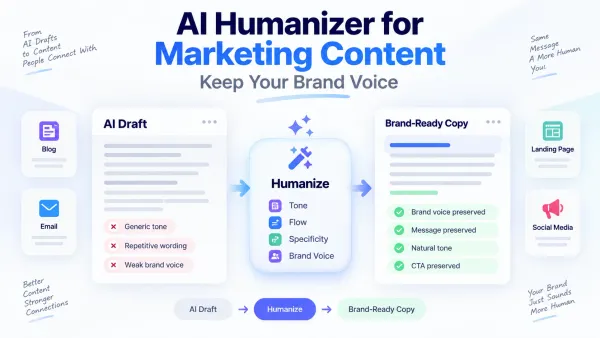
Disclosure: we make HumanizeAI, so weigh its spot on this list accordingly. It's first because it does a job the other nine don't. Most tools here help you produce, check, or organize work. HumanizeAI revises a draft that already exists so it reads more naturally, with better rhythm and less of the flat, generic phrasing that AI drafts share.
Best for: students who used AI to brainstorm or outline and now need the wording to sound like them.
Free access: the free plan includes 1,500 humanizer words a month (300 per run), 10,000 AI Detector words, 1,000 plagiarism-check words, and unlimited grammar checks with limited paraphrase modes. No credit card is required. The Essential plan is $14 a month, per HumanizeAI's pricing page.
We tested the editing effect on our own tool on September 12, 2026. Five unedited AI drafts (1,068 words on business topics, not student essays) averaged 3.75 em dashes per 1,000 words before processing and 0.86 after a pass on Ultra mode, a 77% reduction. Flagged AI-tell phrases fell from five to one. That's a small, directional test, not a controlled study.
Watch out for: it can polish a draft, not supply the ideas or the sources. It also doesn't make AI use allowed. If your instructor bans AI in submitted work, no editing tool changes that.
2. ChatGPT: Is It Still the Best Place to Start Learning a Topic?
ChatGPT is the most flexible tool here. Ask it to explain a concept three different ways, quiz you on a chapter, or turn your rough notes into an outline. It works best at the start of the process, before you've written anything.
Best for: concept explanations, practice questions, outlines, and study plans.
Free access: OpenAI's pricing page lists unlimited text chats on the free plan, with limited uploads, image creation, voice chats, and deep research. Its education plans are aimed at schools rather than individual students: ChatGPT for Teachers is free for verified U.S. K-12 educators through June 2027, and ChatGPT Edu is sold to universities.
Watch out for: it can state wrong facts in a confident tone, so check anything you plan to submit. Drafting a whole essay in it also tends to produce generic prose. If you do draft with it, our guide to humanizing ChatGPT content walks through the revision pass.
3. Grammarly: Is It Worth Paying for as a Student?
Grammarly catches spelling, grammar, and clarity problems while you type, and it works inside most writing surfaces. For essays, emails, and applications it's the most practical safety net on this list.
Best for: grammar, clarity, and tone in your own writing.
Free access: Grammarly's plans page lists the Free plan at $0 with 100 AI prompts a month. Pro is listed at $12 a month and adds sentence rewrites, plagiarism and AI-text detection, and 2,000 prompts. The page points to a separate Grammarly for Education program for institutional discounts, but doesn't list an individual student price on the plans page itself.
Watch out for: Grammarly improves correctness, not voice. A draft can be error-free and still read like a template. If you want a free second checker, HumanizeAI also offers a grammar checker. For a deeper comparison of the two big editing tools, see QuillBot vs Grammarly.
4. Notion AI: Can It Run Your Whole Semester?
Notion is a workspace for notes, tasks, and calendars, and Notion AI adds summaries and drafting inside it. It suits students juggling several classes who want one place for lecture notes, deadlines, and reading lists.
Best for: study planning, note organization, and deadline tracking.
Free access: per Notion's pricing page, the Plus plan (limited to one member) is free for students and educators who sign up with a school email. The catch is that Free and Plus include only trial AI capabilities. Full Notion AI features, including chat and document generation, sit on the Business plan.
Watch out for: the free student plan is generous for organizing, but don't assume it includes unlimited AI. Setup also takes an evening, which is a real cost during exam weeks.
5. QuillBot: When Does Paraphrasing Actually Help?
QuillBot rewrites sentences in different modes, which helps when you've said the same thing three times or a passage reads stiffly. It's a paraphraser, not a full editor.
Best for: rewording your own sentences and adding variety.
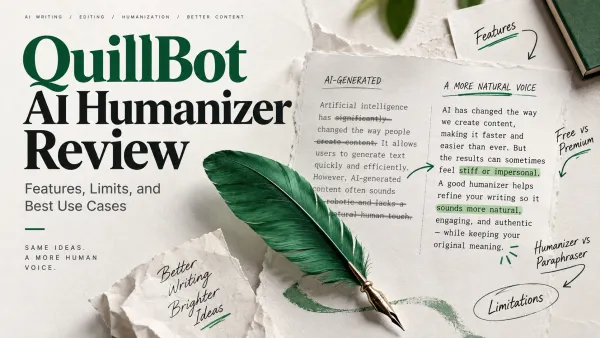
Free access: QuillBot's Premium page shows the free plan paraphrasing up to 125 words at a time. Premium is listed at $8.33 a month billed annually, with a separate student pricing page.
Watch out for: paraphrasing a source is not the same as citing it. If the idea came from someone else, it still needs a citation. Heavy paraphrasing can also drift from your original meaning. Our roundup of QuillBot alternatives compares seven other options, and HumanizeAI's paraphrase tool is one of them.
6. Khanmigo: Is an AI Tutor Better Than a Chatbot for Homework Help?
Khanmigo is Khan Academy's AI tutor, built on top of Khan Academy's content library. It covers math, science, coding, history, and humanities from elementary grades through college, according to its site.
Best for: subject-specific tutoring where you want to understand the method, not just get the answer.
Free access: teachers in 44 countries get free access in English. Learners and parents pay a monthly or annual fee, but Khanmigo's site doesn't list the price on that page. It only appears once you start checkout.
Watch out for: availability and pricing differ by country and user type, so check your own situation before planning around it.
7. Perplexity AI: How Should Students Use It for Research?
Perplexity describes itself as a free AI-powered answer engine. It answers questions directly instead of returning a page of links, which makes it a faster starting point than a blank search bar.
Best for: the first hour of research, topic exploration, and finding sources to read.
Free access: Perplexity states it's free to use.
Watch out for: a fast answer isn't automatically a good source. Open whatever sources sit behind it, check who published them, and use your library's databases for anything a course requires you to cite formally.
8. Wolfram|Alpha: What Is It Best For?
Wolfram|Alpha is a computational knowledge engine. It computes rather than chats: you enter an equation or a data question and it works it out. That makes it useful for math, physics, chemistry, and engineering coursework.
Best for: checking calculations, exploring formulas, and STEM problem sets.
Free access: Wolfram|Alpha offers a Pro for Students plan with its own dedicated signup page, but the exact student price and the free version's specific limits aren't listed on its general Pro page. Check the student pricing page directly before you buy.
Watch out for: copying a result without following the method leaves you stuck on the exam. Use it to check your work, then redo the problem yourself.
9. Otter.ai: Can It Replace Taking Notes in Lectures?
Otter transcribes speech into searchable text and summaries, which helps for lectures, study groups, and interviews for a class project.
Best for: capturing what was said so you can pay attention while it's said.
Free access: Otter's pricing page lists the free Basic plan at 300 transcription minutes a month and 30 minutes per conversation. Students and teachers with .edu emails get 20% off Pro only, listed at $6.67 a month billed at $79.99 a year.
Watch out for: a lecture longer than 30 minutes exceeds the free per-conversation limit. Transcripts also need spot-checking, and you should confirm your instructor allows recording before you start.
10. Canva: Is It Free for Student Projects?
Canva turns a blank page into a presentation, poster, or infographic with templates and AI layout help. Good design won't fix weak content, but it does save hours on a class project.
Best for: presentations, posters, and visual assignments.
Free access: Canva Education is confirmed free for K-12 teachers and students, with no paywalls, including most premium features plus LMS integrations and classroom tools. College and university students aren't covered by Canva Education; Canva offers a separate program called Canva Campus for higher-education institutions, with its own terms.
Watch out for: if you're in college, don't assume the free K-12 tier applies to you. Check whether your school has a Canva Campus agreement before paying individually.
Which Other AI Study Tools Are Worth a Look?
Three other tools show up in most competing roundups, and each covers something the list above doesn't. They didn't make the top ten because each does one narrow job, but they're worth knowing.
Google Gemini has a student offer worth checking before you pay for anything else. Google's student page offers eligible U.S. college students ages 18 and up a free one-year Google AI Pro subscription, with a redemption deadline of December 31, 2026. After the year, it charges $19.99 a month unless you cancel.
Zotero is a free tool for collecting, organizing, and citing research, with support for more than 9,000 citation styles. It's the citation manager to use if you're writing a paper with more than a handful of sources.
Quizlet Plus is listed at $19.99 a year for flashcards and study sets, including ad-free studying and custom audio and image uploads. Quizlet's upgrade page describes only the paid tier's extras, so check the main Quizlet site for what the free version includes before you decide you need to upgrade.
What Does Student AI Use Actually Look Like in 2026?
It's mainstream. The Higher Education Policy Institute's 2026 survey of 1,054 full-time UK undergraduates, fielded in December 2025 and published March 12, 2026, found 95% use AI in at least one way and 94% say they use generative AI to help with assessed work. Twelve percent say they directly include AI-generated text in assessed work, up from 8% in 2025 (HEPI Student Generative AI Survey 2026).
School-age numbers are lower but still high. Pew Research Center's survey of 1,458 U.S. teens, fielded September 25 to October 9, 2025, found 54% have used chatbots for schoolwork, and one in ten do all or most of their schoolwork with chatbot help. About 40% used them to research a topic or solve math problems, and 35% used them to edit something they wrote (Pew Research Center, February 24, 2026).
The gap between use and guidance is the part students feel. In the same HEPI survey, only 36% of students felt encouraged by their institution to use AI and only 38% said their institution provided AI tools. For wider school-level data, our AI in school statistics page tracks adoption, training, and spending.
How Do You Use These Tools Without Breaking Your School's Rules?
Start with the policy, not the tool. Rules differ by school, by department, and sometimes by instructor. Some allow AI for brainstorming and editing, some allow it with disclosure, and some ban it in submitted work.
Three habits keep you on solid ground. Read the syllabus and the school's academic integrity policy before you start. Ask your instructor if the rule isn't clear, and get the answer in writing. Disclose AI help whenever the policy asks for it.
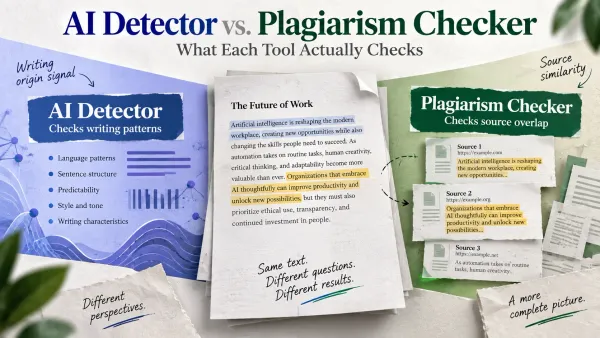
Detector scores are not a safe plan. They're estimates, they can be wrong in both directions, and a clean score doesn't make AI use allowed. If you're curious how they work, see our breakdown of whether ChatGPT can be detected. The safer approach is the one that never depends on a score: do your own thinking, use AI to support it, and follow the rules you were given.
What Is the Best AI Workflow for Writing a Paper?
Students get the best results when each tool does one job and the student stays in the driver's seat. Here's a workflow that keeps your thinking at the center.
- Use ChatGPT or Gemini to understand the topic, not to write the paper. Ask for explanations and counterarguments, and ask it to quiz you.
- Use Perplexity to find sources, then open them and read the ones you'll cite. Add them to Zotero.
- Write the draft yourself, in your own words, from your own outline.
- Run Grammarly or a grammar checker to catch mechanical errors.
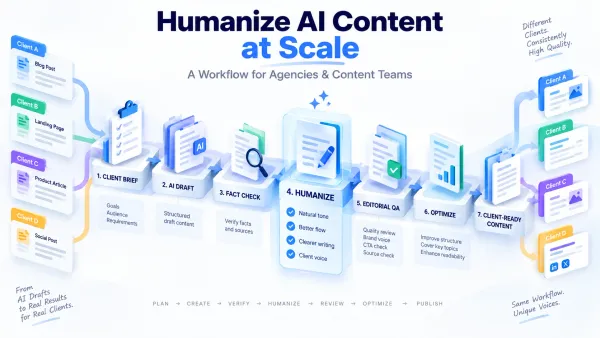
- If any sections started as AI-assisted text, use a revision pass like HumanizeAI to fix the rhythm and phrasing, if your policy allows AI assistance.
- Read the whole thing out loud, verify every fact and citation, and check the policy one more time before submitting.
What Makes an AI Study Tool Worth Using?
Four checks separate a useful tool from a time sink. Run any tool, including the ones above, through them.
Does it show its work? A tool that explains its reasoning or links its sources teaches you something. A tool that only outputs an answer teaches you nothing, and leaves you unable to defend the work in class.
What does free actually cover? Free plans are often a trial. Notion's free student plan and Otter's 30-minute cap are good examples: generous in one dimension, limited in another. Read the limit before you build a study routine around it.
Does it match your subject? Writing students need editing and research tools. STEM students need computation and tutoring. Design and presentation projects need a visual tool. One tool rarely covers all three.
Does your school allow it? The best tool on paper is useless if using it breaks an integrity policy. Check the rules first, every term.
Founder Observation
For years I managed sales teams, and the best reps I worked with didn't use AI to sound smarter on a call. They used it to walk in already knowing what a smarter person would ask. I'd draw the same line for students: use ChatGPT or Perplexity to get ready to think, then do the thinking and the writing yourself. If you use a tool like ours on a draft, it should be the last polish on your own ideas, not the source of them.
Research & Supporting Evidence
- The Higher Education Policy Institute's Student Generative AI Survey 2026 (Savanta, 1,054 full-time UK undergraduates, December 2025, published March 12, 2026) found 95% use AI in at least one way, 94% use it to help with assessed work, and 12% directly include AI-generated text in assessed work.
- Pew Research Center's "How Teens Use and View AI" (1,458 U.S. teens, September 25 to October 9, 2025, published February 24, 2026) found 54% used chatbots for schoolwork and 10% did all or most of it with chatbot help.
- Google's Gemini student offer page, checked September 29, 2026, lists a free one-year Google AI Pro subscription for eligible U.S. college students, with a December 31, 2026 redemption deadline.
- Notion's pricing page, checked September 29, 2026, lists the Plus plan as free for students and educators, with trial-level AI on Free and Plus.
- Otter.ai's pricing page, checked September 29, 2026, lists 300 monthly transcription minutes and a 30-minute per-conversation limit on the free Basic plan.
- HumanizeAI internal tell-rate test, September 12, 2026 (n=5 unedited AI drafts, 1,068 words, Ultra mode, General setting): em dash frequency fell from 3.75 to 0.86 per 1,000 words, and flagged AI-tell phrases fell from five to one. Small and directional, with the full before-and-after text on file.
Mini Case Study
HumanizeAI ran its own small test of what an editing pass actually changes in AI-assisted text. On September 12, 2026, five unedited AI drafts (1,068 words total, covering ordinary topics like scheduling and planning, not student essays) were run through HumanizeAI's Humanizer on Ultra mode. Em dash frequency fell from 3.75 to 0.86 per 1,000 words, a 77% reduction, and flagged AI-tell phrases like "it's important to note" dropped from five instances to one across the batch.
The takeaway for a student draft is the same pattern, not the same numbers. An editing pass changes surface-level tells like rhythm and stock phrasing. It doesn't change whether the ideas in the draft are actually yours, and it doesn't make AI use allowed where a school's policy says otherwise. This is a small, directional, first-party test (n=5), not a controlled study, and the drafts tested were general business writing rather than coursework.
Key Takeaways
- Pick AI tools by job: ChatGPT to learn, Perplexity to research, Grammarly to correct, QuillBot to reword, Wolfram|Alpha to check math, Otter.ai to capture lectures, Notion AI to plan, Canva to present, and HumanizeAI to revise an AI-assisted draft.
- Free plans are snapshots. As of September 29, 2026, Otter's free plan caps at 300 minutes a month, QuillBot's at 125 words per paraphrase, and Grammarly's at 100 AI prompts.
- 95% of UK undergraduates use AI in some way and 12% include AI-generated text directly in assessed work, per the HEPI 2026 survey.
- 54% of U.S. teens used chatbots for schoolwork, per Pew's February 2026 report.
- Canva's free education tier covers K-12 only; college students need a Canva Campus agreement through their school.
- Rules vary by school and even by instructor, so check the policy before you use any tool on graded work.
- Use AI to prepare to think, then do the thinking and the writing yourself.
FAQ
What are the best AI tools for students in 2026?
The best AI tools for students in 2026 are ChatGPT for explanations, Perplexity for research, Khanmigo for tutoring, Wolfram|Alpha for math, Notion AI for planning, Otter.ai for lecture notes, Grammarly and QuillBot for editing, Canva for projects, and HumanizeAI for revising AI-assisted drafts. The right one depends on the job, not the brand.
What is the best free AI tool for students?
It depends on the job, because free limits differ. Perplexity is free to use, ChatGPT's free plan includes unlimited text chats, Notion's Plus plan is free for students with a school email, and Otter's free plan gives 300 minutes a month. As of September 29, 2026, Google also offers eligible U.S. college students a free year of Google AI Pro.
What is the best AI tool for academic writing?
No single tool covers every step. ChatGPT helps you plan, Perplexity helps you find sources, Grammarly catches mechanical errors, and HumanizeAI revises the wording of AI-assisted drafts so they read more naturally. None of them replace your own thinking, and each has to fit your school's policy.
Are AI tools allowed for students?
It varies by school, department, and instructor. In HEPI's 2026 survey, only 36% of UK undergraduates felt encouraged by their institution to use AI. Check your syllabus and academic integrity policy, and ask your instructor if it isn't clear.
Is using AI for assignments plagiarism?
Not automatically. It becomes an academic integrity problem when your school's policy prohibits it, or requires disclosure you don't give. Submitting AI-generated work as your own without permission can violate the rules even when no detector flags it.
Can AI detectors tell if I used AI?
Detectors estimate the likelihood that text is AI-generated, and they can be wrong in both directions. A score isn't proof either way. Our article on whether ChatGPT can be detected explains why relying on a score is a poor plan.
Is HumanizeAI better than Grammarly or QuillBot?
They do different jobs. Grammarly corrects grammar and clarity, QuillBot rewords sentences you've already written, and HumanizeAI revises the rhythm and phrasing of AI-assisted drafts. Many students use more than one, and HumanizeAI's free plan includes 1,500 humanizer words a month.
Which AI tool is best for math homework?
Wolfram|Alpha computes equations and checks answers, and Khanmigo works as a subject tutor built on Khan Academy's content. Use either to understand the method, then redo the problem yourself before an exam.
Can AI tools replace studying?
No. They can quiz you, explain a concept, or organize your notes, but understanding comes from practice. The students who get the most from AI use it to prepare to think, not to skip the thinking.
Ready to Make Your AI-Assisted Draft Sound Like You?
Your ideas come first. The last pass should make them read like yours.
If you brainstormed or outlined with AI and the wording came out flat, that's the gap a revision pass closes. HumanizeAI's AI Humanizer rewrites AI-assisted text for natural rhythm and tone while keeping your meaning, and you still review every line before you submit. Check your school's AI policy first, and use it only where AI assistance is allowed.
Free plan available · No credit card required
Additional Resources
- How to Humanize AI Text: The Complete Guide for Marketers: HumanizeAI's pillar guide to making AI-assisted writing sound natural
- AI in School Statistics 2026: student and teacher adoption, training, and spending data
- Is It Ethical and Legal to Humanize AI-Generated Content?: where the line sits for responsible use
- 7 Best QuillBot Alternatives in 2026: a deeper comparison if paraphrasing is your main need
- HumanizeAI AI Humanizer: the tool covered in entry 1 above
About the Author
Steve Palomares is the founder of HumanizeAI.com and Paloma Digital LLC, with 25-plus years of go-to-market experience across sales, customer success, RevOps, and marketing leadership, now focused on AI search visibility. Read more about Steve.