QuillBot AI Humanizer Review: Features, Limits,and Best Use Cases
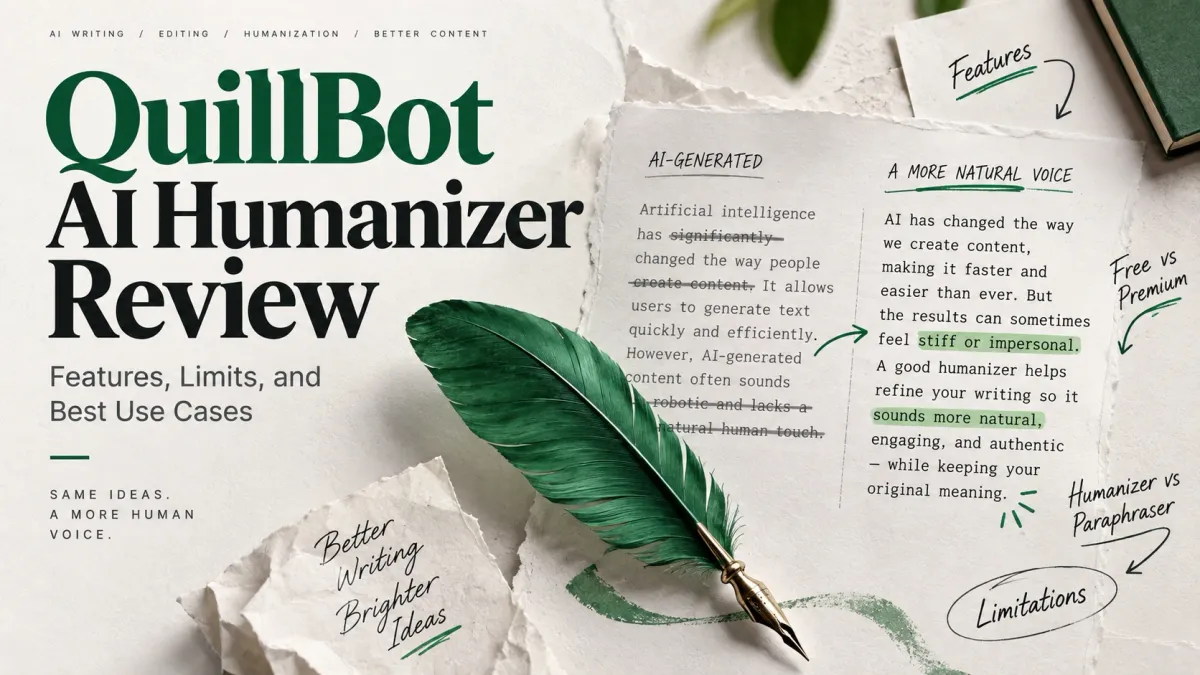
QuillBot is best known for paraphrasing, but its writing toolkit now includes a dedicated AI Humanizer designed specifically for AI-assisted drafts.
That distinction matters. If you already use QuillBot, you no longer have to rely only on its Paraphraser when a ChatGPT, Claude, or Gemini draft sounds stiff or overly uniform. The Humanizer provides a separate workflow focused on making that writing sound more natural.
But how different is it from QuillBot's existing paraphrasing tools, what can you do for free, and when does a dedicated humanization workflow make more sense?
This QuillBot AI Humanizer review looks at its current features, free and Premium access, practical use cases, and limitations.
Disclosure: HumanizeAI publishes this review and operates its own AI Humanizer. QuillBot product details in this article were checked against QuillBot's current first-party product information. We have not invented or presented a new HumanizeAI detector benchmark as an independent test of QuillBot.
Quick Answer
QuillBot AI Humanizer is a dedicated rewriting tool for making AI-assisted text sound more natural while aiming to preserve its meaning. QuillBot currently offers Basic humanization for free on inputs of up to 125 words, while Premium adds Advanced humanization, longer-form use without the free input limit, Human Score, tone insights, history, and integrations with ChatGPT and Gemini.
It is useful for refining stiff or generic AI drafts, but it should still be followed by human review. It also should not be treated as a guarantee that rewritten text will receive a particular result from an AI detector.
Key Takeaways
- QuillBot now offers a dedicated AI Humanizer in addition to its established Paraphraser.
- The free Humanizer currently supports Basic humanization for texts of up to 125 words.
- Premium adds Advanced humanization and removes the free Humanizer's word and usage limits.
- QuillBot currently supports English, Spanish, French, German, and Brazilian Portuguese for humanization, with regional English variants.
- Humanizer and Paraphraser overlap, but they are designed around different editing objectives.
- QuillBot's Human Score and AI Detector should be treated as signals rather than proof of human authorship.
What Is QuillBot AI Humanizer?
QuillBot AI Humanizer is a text-rewriting tool designed for AI-generated or AI-assisted writing.
You paste in text created or assisted by tools such as ChatGPT, Gemini, Claude, or another language model, and the Humanizer rewrites the draft with the goal of making its phrasing, flow, and delivery sound more natural.
That makes it different in intent from a general paraphraser.
A paraphraser primarily answers:
How else can I express this text?
An AI humanizer primarily answers:
How can I make this AI-assisted draft read more naturally?
The distinction is not absolute because both tools rewrite text. QuillBot itself illustrates that overlap: its separate Paraphraser currently includes a Humanizer mode alongside modes for Fluency, Formal, Academic, Simple, Creative, Expand, Shorten, and other rewriting goals.
For a deeper explanation of the categories themselves, see our guide to AI humanizers vs paraphrasing tools.
How Does QuillBot AI Humanizer Work?
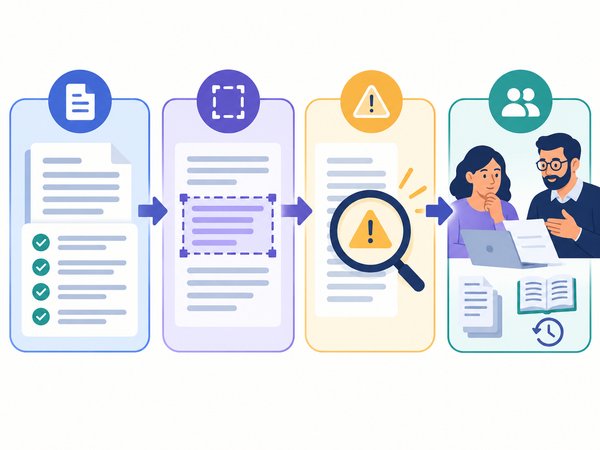
The basic workflow is straightforward:
- Paste your AI-assisted text. QuillBot specifically positions the tool for drafts produced with systems such as ChatGPT, Claude, Gemini, and other AI tools.
- Run the Humanizer. The tool rewrites the draft to reduce stiff or unnatural phrasing while aiming to retain the original meaning.
- Review and edit the result. QuillBot provides additional editing controls, and Premium users get deeper humanization and additional analysis features.
The third step is important.
Automated rewriting should not be the final editorial check. Names, numbers, quotations, citations, technical terminology, product claims, and nuanced arguments can all be affected when text is rewritten.
A natural-sounding sentence can still be inaccurate.
QuillBot Humanizer Features
QuillBot's current Humanizer combines a simple free workflow with additional Premium controls.
Basic and Advanced Humanization
The free version provides Basic humanizing, which QuillBot describes as a quick rewrite for making AI drafts sound more natural.
Premium adds Advanced humanizing, intended for deeper rewriting and improved fluency.
That gives users a straightforward distinction between a lighter free rewrite and a more extensive Premium transformation.
Human Score and AI Detector Connection
Premium users can access a Human Score, which provides feedback on how human the writing appears according to QuillBot's system.
QuillBot also connects this workflow with its AI Detector.
That can be useful as an editing signal, but QuillBot itself notes that no AI detector is perfect all the time. A detector result should therefore be treated as one piece of information rather than definitive proof of who or what wrote a passage.
Tone Insights
Premium includes tone insights designed to help users evaluate how their rewritten text may sound to a reader.
This can be useful when a draft is technically correct but feels too formal, generic, impersonal, or otherwise mismatched to its audience.
ChatGPT and Gemini Integration
QuillBot also promotes Humanizer integration with ChatGPT and Gemini through its browser extension.
For users already drafting in those tools, this reduces the amount of copying and switching between separate writing environments.
Multiple Languages
QuillBot currently lists Humanizer support for:
- English
- Spanish
- French
- German
- Brazilian Portuguese
English support also includes US, UK, Australian, and Canadian regional variants.
Language support can change as the product develops, so check QuillBot's current documentation if a specific language is essential to your workflow.
Is QuillBot Humanizer Free?
Yes, but the free version has meaningful limits.
QuillBot currently allows free users to use Basic humanization on text of 125 words or fewer.
Premium adds:
- Advanced humanization
- no Humanizer word or usage limit
- Human Score
- tone insights
- humanization history
- ChatGPT and Gemini integration
- access to QuillBot's wider Premium toolset
That makes the free version most practical for testing the tool or rewriting short passages.
If you regularly work with complete articles, reports, essays, or other long-form drafts, the 125-word free input limit means you would either need to process the text in small sections or consider Premium.
Note: Product features, limits, and plan details can change. Check QuillBot's current documentation before making a purchase decision.
QuillBot AI Humanizer vs QuillBot Paraphraser
This is probably the most important distinction for existing QuillBot users.
The tools overlap because both rewrite text, and QuillBot even includes a Humanizer mode inside its Paraphraser. But the standalone Humanizer and the broader Paraphraser are organized around different jobs.
The overlap means you do not need to use both on every piece of text.
If your sentence already sounds natural and you simply want another formulation, the Paraphraser is the more direct tool.
If the problem is that an AI-generated draft feels repetitive, stiff, overly polished, or generic across multiple sentences, the Humanizer is the more relevant starting point.
Running text through several rewriting tools unnecessarily can introduce meaning drift. Use the smallest amount of rewriting needed to solve the actual problem.
What Is QuillBot Humanizer Good For?
QuillBot Humanizer makes the most sense when the underlying draft is already useful but its delivery needs work.
Refining ChatGPT, Claude, or Gemini Drafts
A language model can produce a workable first draft that still has repetitive sentence structures, generic transitions, or an overly uniform tone.
Humanization gives you another editing pass before final review.
Short Professional Writing
Emails, proposals, short reports, cover letters, and similar documents may benefit when an AI-assisted draft feels more formal or mechanical than the writer intended.
Blog and Marketing Drafts
A humanizer can help vary phrasing and flow before a writer adds the examples, evidence, brand language, and first-hand perspective that make the content genuinely useful.
It should not be used as a substitute for those elements.
Writers Already Using QuillBot
This may be the strongest practical use case.
If QuillBot is already part of your workflow for paraphrasing, grammar checking, summarization, citations, or AI detection, having humanization in the same ecosystem is convenient.
You may not need a separate product if QuillBot's Humanizer provides the level of control you need.
What Are the Limitations of QuillBot AI Humanizer?
QuillBot Humanizer solves a specific editing problem. It does not solve every problem associated with AI-generated content.
The Free Input Limit Is Small
The current 125-word free Humanizer limit is enough for individual paragraphs but restrictive for long-form content.
You can process a larger draft section by section, but that creates another problem: paragraphs rewritten independently may not maintain a consistent voice or rhythm across the full document.
Humanization Does Not Fix Weak Content
If a draft contains incorrect information, shallow reasoning, missing evidence, or generic ideas, rewriting the sentences will not solve the underlying problem.
Research and editing still come first.
Meaning Still Needs to Be Checked
QuillBot says its Humanizer is designed to preserve meaning, but automated rewriting should still be reviewed.
This is especially important for:
- technical terminology
- statistics
- names and dates
- quotations
- legal or medical statements
- citations
- product specifications
- carefully qualified claims
Before accepting a rewrite, follow our guide to preserving meaning, facts, and citations.
The Product Overlaps With QuillBot's Own Paraphraser
QuillBot's Paraphraser already has a Humanizer mode.
That does not make the standalone Humanizer unnecessary, but it does mean users should understand what they actually need before paying for or adding another step to their workflow.
If your main problem is sentence-level rewording, the Paraphraser may already be sufficient.
Detector Results Are Not Guarantees
A rewritten passage may receive different classifications from different AI detectors.
Scores can also change when detectors update their models or when the source text, writing style, or rewrite changes.
That means the useful question is not simply:
Did this text pass a detector?
A better review asks:
Is the writing accurate, natural, appropriate for its audience, and consistent with the author's intended voice?
Does QuillBot Humanizer Make AI Text Undetectable?
There is no reliable basis for treating QuillBot Humanizer—or any humanizer—as a guarantee that text will be classified as human by every AI detector.
QuillBot provides its own Human Score and AI Detector, but its product information also acknowledges that AI detection is imperfect and that its score should be treated as a signal rather than a verdict.
Different detectors use different methods and can return different results for the same text. Their behavior can also change as detection models are updated.
If detection matters in your context, test the actual final text rather than assuming that using a Humanizer guarantees a particular classification.
More importantly, follow the AI-use, disclosure, authorship, or academic-integrity rules that apply to your school, employer, publication, or client.
Who Should Use QuillBot Humanizer?
QuillBot Humanizer is worth considering if you:
- already use QuillBot and want humanization inside the same writing toolkit;
- work with short AI-assisted drafts and can use the free 125-word workflow;
- want a simple distinction between Basic and Advanced humanization;
- use ChatGPT or Gemini regularly and value browser-based integration;
- need humanization in one of its currently supported languages;
- want rewriting alongside QuillBot's paraphrasing, grammar, detection, citation, and other writing tools.
It may be less suitable if your entire workflow revolves around processing long AI-generated documents and you want a platform designed primarily around humanization rather than a broad collection of writing utilities.
When Might You Need a Dedicated AI Humanizer?
QuillBot's breadth is one of its strengths. It combines paraphrasing, grammar assistance, AI detection, summarization, citations, humanization, and other writing tools in one ecosystem.
But breadth is not always the same thing as specialization.
If humanization is only an occasional editing step, QuillBot may be enough—especially if you already use its other tools.
If humanization is central to your workflow, compare products based on factors such as:
- long-form input handling;
- control over rewrite depth;
- meaning preservation;
- consistency across full documents;
- editing workflow;
- tone and readability controls;
- review tools;
- how the humanizer fits into your wider content process.
HumanizeAI provides a dedicated AI Humanizer for users whose workflow is specifically centered on refining AI-assisted drafts.
You can also compare a wider selection in our guide to the best AI humanizer tools rather than assuming either QuillBot or HumanizeAI is automatically the right choice for every task.
QuillBot Humanizer: Final Assessment
QuillBot AI Humanizer is most compelling for people who already like the QuillBot ecosystem.
The standalone tool gives AI-assisted writing a dedicated humanization workflow, while the free tier makes it easy to test on short passages. Premium becomes more relevant for long-form use because it adds Advanced humanization, removes the free word and usage limits, and provides features such as Human Score, tone insights, history, and direct integration with ChatGPT and Gemini.
Its biggest limitation is not that it lacks rewriting capability. It is that humanization itself has limits.
A rewrite cannot repair bad research, add missing expertise, verify a statistic, create genuine first-hand experience, or guarantee how an AI detector will classify the final text.
So the practical decision is straightforward:
Use QuillBot Humanizer when you already have a useful AI-assisted draft and want to improve how it reads.
Use QuillBot's Paraphraser when the main problem is wording or restructuring.
And if humanization is a major part of your content workflow, compare QuillBot with dedicated humanization tools based on the controls and workflow you actually need.
For users specifically looking to replace other parts of the QuillBot ecosystem, our guide to QuillBot alternatives covers that separate search intent.
Frequently Asked Questions
Is QuillBot an AI humanizer?
Yes. QuillBot now offers a dedicated AI Humanizer in addition to its Paraphraser and other writing tools. It is designed to rewrite AI-assisted text so that it reads more naturally while aiming to preserve the original meaning.
Is QuillBot Humanizer free?
Yes. QuillBot currently offers Basic humanization for free for inputs of up to 125 words. Premium adds Advanced humanization and removes the free Humanizer's word and usage limits, along with additional features.
What is the difference between QuillBot Humanizer and Paraphraser?
QuillBot Humanizer is specifically organized around making AI-assisted drafts sound more natural. The Paraphraser is a broader rewriting tool designed to rephrase text in different ways, with modes for goals such as fluency, formality, academic writing, simplicity, creativity, expansion, and shortening.
Can QuillBot humanize ChatGPT text?
Yes. QuillBot explicitly positions its Humanizer for AI-assisted text from systems including ChatGPT, Gemini, Claude, and other AI tools. QuillBot also offers browser-based integration that can bring humanization into ChatGPT and Gemini workflows.
Does QuillBot Humanizer guarantee that text will pass AI detectors?
No. AI detector results can vary by detector, source text, rewrite, and model updates. QuillBot itself says AI detection is imperfect and recommends treating its Human Score as a signal rather than a verdict.
Which languages does QuillBot Humanizer support?
QuillBot currently lists English, Spanish, French, German, and Brazilian Portuguese. It also supports US, UK, Australian, and Canadian English variants.
Is QuillBot Humanizer suitable for academic writing?
It can be used as an editing tool, but students and researchers should follow their institution's rules on AI assistance, authorship, disclosure, and citation. Humanizing or paraphrasing text does not remove the obligation to attribute ideas or sources when attribution is required.
Sources and References
Product features, usage limits, supported languages, Human Score information, and Humanizer workflow were verified using QuillBot's official AI Humanizer page and Help Center.
QuillBot Paraphraser modes and functionality were verified using QuillBot's official Paraphraser documentation.
HumanizeAI internal links and overlapping search intents were checked against the current HumanizeAI articles for Best AI Humanizer Tools, AI Humanizer vs Paraphrasing Tool, Grammarly AI Humanizer Review, QuillBot Alternatives, and QuillBot vs Grammarly.
Product information checked: September 2026. Features and usage limits can change; verify current QuillBot documentation for the latest details.