How to Humanize AI Emails Without Losing the Message
Learn how to humanize AI emails without changing facts, tone, or intent, with practical before-and-after examples and a final send checklist.

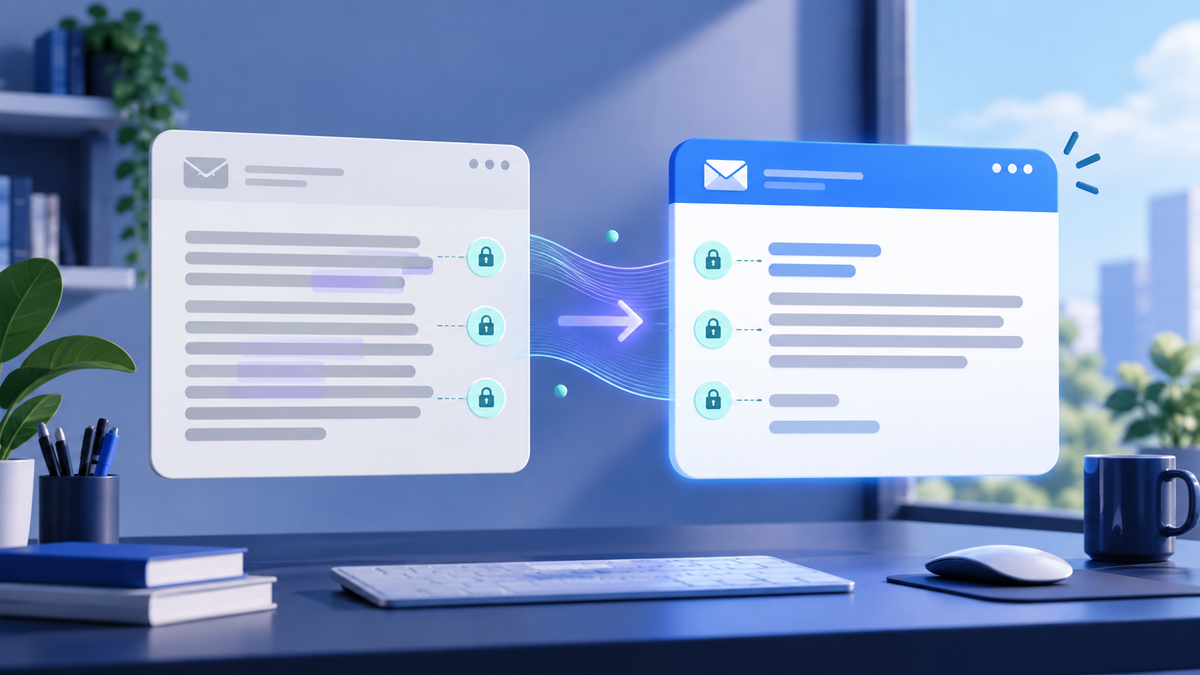
AI can draft an email in seconds, but the result often sounds more formal, vague, or enthusiastic than the sender intended. To humanize an AI email without losing the message, protect the facts and requested action first, then adjust the opening, tone, rhythm, and call to action for the real relationship.
Quick Answer
To humanize an AI email, identify the purpose, facts, and next step that must remain unchanged. Rewrite the opening so it gets to the point, match the tone to the relationship, remove template language, and finish with one clear action. Compare the final version with the source before sending.
Key Takeaways
- Preserve names, dates, prices, commitments, and the requested action before changing the tone.
- A natural email is specific to the recipient and situation; it is not simply more casual.
- Put the reason for writing in the first one or two sentences.
- Use one clear CTA instead of several vague next steps.
- Review the final email for meaning drift, invented details, and inappropriate familiarity.
Why Do AI Emails Sound Robotic?
AI-assisted email often defaults to broadly polite business language. The grammar may be correct, yet the message feels detached because it uses an interchangeable opening, explains obvious context, repeats the same idea, or delays the actual request.
Common signs include:
- Openings such as “I hope this message finds you well” when no social opening is needed
- Several sentences of background before the purpose becomes clear
- Generic enthusiasm that does not fit the situation
- Long transitions such as “I am writing to inform you that”
- Benefits or apologies that sound exaggerated
- A vague ending such as “Please let me know your thoughts” without a specific question
The problem is not that these phrases are forbidden. The problem is that they can make the email sound like a template rather than a message written for one person. If the whole draft needs a broader editing pass, use this guide to humanize AI text while protecting its meaning.
How to Humanize AI Emails Without Changing the Message
1. Write down the non-negotiable message
Before editing, reduce the email to three lines:
- Purpose: Why are you writing?
- Facts: Which details must remain exact?
- Action: What should the recipient do next?
For example:
- Purpose: ask whether the client approves the revised landing page
- Facts: version two was sent Tuesday; launch is scheduled for October 12
- Action: approve it or send final edits by Thursday at 3 p.m.
This short fact lock is the reference for every later edit. If a warmer or shorter version changes one of those details, restore it.
2. Match the tone to the relationship
“Human” is not one fixed tone. The right wording depends on who is receiving the email, why they are receiving it, and what is at stake.
| Relationship | Useful tone | What to avoid |
|---|---|---|
| Colleague you know well | Direct, concise, familiar | Unnecessary formality and background |
| New prospect | Relevant, respectful, specific | False familiarity and generic praise |
| Customer needing support | Calm, accountable, clear | Defensiveness or overpromising |
| Executive or client | Brief, prepared, decision-focused | Long setup and ambiguous asks |
| Internal company update | Practical, transparent, organized | Corporate filler and hidden decisions |
Professional writing does not have to be distant. It should make the purpose and next step easy to understand while respecting the relationship.
3. Replace the opening with real context
The opening should normally do one of three jobs:
- Name the shared context
- State the purpose
- Give the reader the update they need
Instead of:
I hope this message finds you well. I am writing to follow up regarding the proposal that was previously shared with you.
Try:
Quick follow-up on the proposal I sent Tuesday. Do you want me to revise the timeline before Friday?
The second version is not better because it is casual. It is better because it identifies the document, the date, the decision, and the deadline.
4. Remove language that does not help the recipient act
Read every sentence and ask whether it adds context, evidence, reassurance, or a next step. Shorten phrases such as:
| Long version | Clearer option |
|---|---|
| I am writing to inform you that | The update is |
| At this point in time | Now |
| In order to | To |
| Please do not hesitate to reach out | Email me if you need anything |
| We are thrilled to announce | We launched |
These are options, not a blacklist. Keep a longer phrase when it serves the tone or carries a necessary qualification.
If the draft still feels stiff after the first pass, try the HumanizeAI AI Humanizer with the fact lock beside you. Review the result before sending; a tool can improve tone and flow, but you remain responsible for the promise and the relationship.
5. Make the CTA specific
An email is easier to answer when the requested action is visible. Replace a broad ending such as “Let me know what you think” with the actual decision:
- Can you approve version two by Thursday at 3 p.m.?
- Would Tuesday or Wednesday work for a 20-minute review?
- Please reply with the order number so I can check the shipment.
- If the revised scope works, reply “approved” and I will schedule the launch.
Do not invent urgency. A deadline should come from the real situation, not from the rewrite.
6. Compare the final email with the source
Before sending, check both versions for:
- Names and pronouns
- Dates, times, prices, and quantities
- Promises and commitments
- Attachments and links
- The requested action
- Necessary qualifications
- Tone appropriate to the relationship
A humanized email should be easier to read without becoming a different message.
Three Before-and-After AI Email Examples
The examples below are fictional editorial examples. They are not customer emails or measured performance results.
Example 1: Cold outreach
AI draft
I hope this email finds you well. I recently came across your impressive company and wanted to reach out to explore potential synergies between our innovative solutions and your organization's goals.
Humanized version
I noticed your team publishes weekly product guides across three regional sites. We help content teams refine AI-assisted drafts before editorial review. Is reducing that review time a priority this quarter?
What changed: The rewrite removes generic praise, names a relevant observation, explains the reason for writing, and asks one focused question. The observation must be verified before sending.
Example 2: Customer support
AI draft
We sincerely apologize for any inconvenience this unfortunate situation may have caused. Please be advised that our dedicated team is currently working diligently to resolve the issue as soon as possible.
Humanized version
I'm sorry the export failed. Our team is checking the job now, and I'll update you by 2 p.m. UTC—even if we are still working on it.
What changed: The revision names the problem, takes ownership, and gives a clear update time. Only include that commitment if the team can keep it.
Example 3: Internal update
AI draft
We are excited to announce that we have made the strategic decision to move forward with the implementation of the new content review process beginning next week.
Humanized version
We will start the new content review process on Monday. Writers will submit drafts in the same place; the only change is that an editor must approve factual claims before publication.
What changed: The rewrite puts the decision first and explains what changes for the reader. It removes excitement that does not help employees act.
When Should You Use an AI Humanizer for Email?
An AI humanizer can be useful when a draft has the right facts and purpose but reads like a template. It can help with sentence variation, flow, overly formal phrasing, and repetitive structure.
It should not be used to:
- Invent personalization about a recipient
- Conceal a false claim
- Add urgency, scarcity, or commitments that were not approved
- Replace legal, compliance, HR, or subject-matter review
- Send sensitive information without checking the recipient and policy
For marketing emails, the same rules apply to positioning, evidence, and offer consistency. The guide to humanizing AI marketing content without losing brand voice explains how to document those controls for a team.
Final AI Email Checklist
- ☐ The purpose is clear in the first two sentences.
- ☐ The recipient and shared context are correct.
- ☐ Names, dates, prices, links, and commitments match the source.
- ☐ The tone fits the relationship and situation.
- ☐ Generic praise and unnecessary scene-setting are removed.
- ☐ The email contains one clear primary action.
- ☐ Any deadline is real and necessary.
- ☐ The final version does not sound more confident than the evidence allows.
- ☐ Attachments are included and correctly named.
- ☐ A human has read the email as the recipient would.
Frequently Asked Questions
How do I make an AI email sound natural?
State the purpose early, use context specific to the recipient, remove unnecessary formality, vary sentence length, and end with one clear action. Keep all facts and commitments unchanged.
Should business emails be conversational?
They should be natural for the relationship. A colleague may expect a brief conversational note, while a customer complaint or executive update may require a calmer, more formal tone. Conversational does not mean careless.
Can an AI humanizer change the meaning of an email?
Any rewrite can introduce meaning drift. Protect names, dates, prices, promises, technical terms, and the requested action, then compare the final email with the source before sending.
How long should a professional email be?
Use the shortest length that gives the recipient enough context to understand and act. A simple confirmation may need two sentences; a decision email may need a short explanation and a clearly separated action.
Is “I hope this email finds you well” always wrong?
No. It can be appropriate when the relationship and situation support it. Remove it when it functions as automatic filler and delays the actual reason for writing.
Can I use AI for sensitive business emails?
Follow your organization's privacy, security, and AI-use policies. Do not paste confidential or personal information into a tool unless that use is authorized, and obtain the appropriate legal, HR, compliance, or subject-matter review.
Make the Message Easier to Recognize and Answer
The best humanized email still says what the original email needed to say. Lock the message, write for the actual relationship, move the purpose forward, and make the next step easy to find.
Try HumanizeAI with your own email draft, then review the result against the checklist before sending. If you need higher usage limits or a workflow for regular content production, view HumanizeAI plans.
Sources / References
- HumanizeAI AI Humanizer — current product description, editing focus, and supported content types, accessed October 6, 2026.
- How to Humanize AI Text and Make It Sound Natural — meaning-preservation and editorial review workflow.
- How to Humanize AI Marketing Content Without Losing Brand Voice — brand terminology, offer, CTA, and factual safeguards.