

Is Your Website Ready for AI?Check Today!
HumanizeAI.com
Content Studio · My Brand · AI brand voice generator

Tell AI who you are once. Every article sounds like you.

My Brand is an AI brand voice generator that holds your voice, tone, author details, audience and the experience only you have, and Content Creator uses it to write every piece, so the draft starts as yours instead of as everyone else's. The Content Optimizer checks articles you already have against it too.

  • No credit card for the free plan
  • Cancel anytime
  • 3-day money-back guarantee
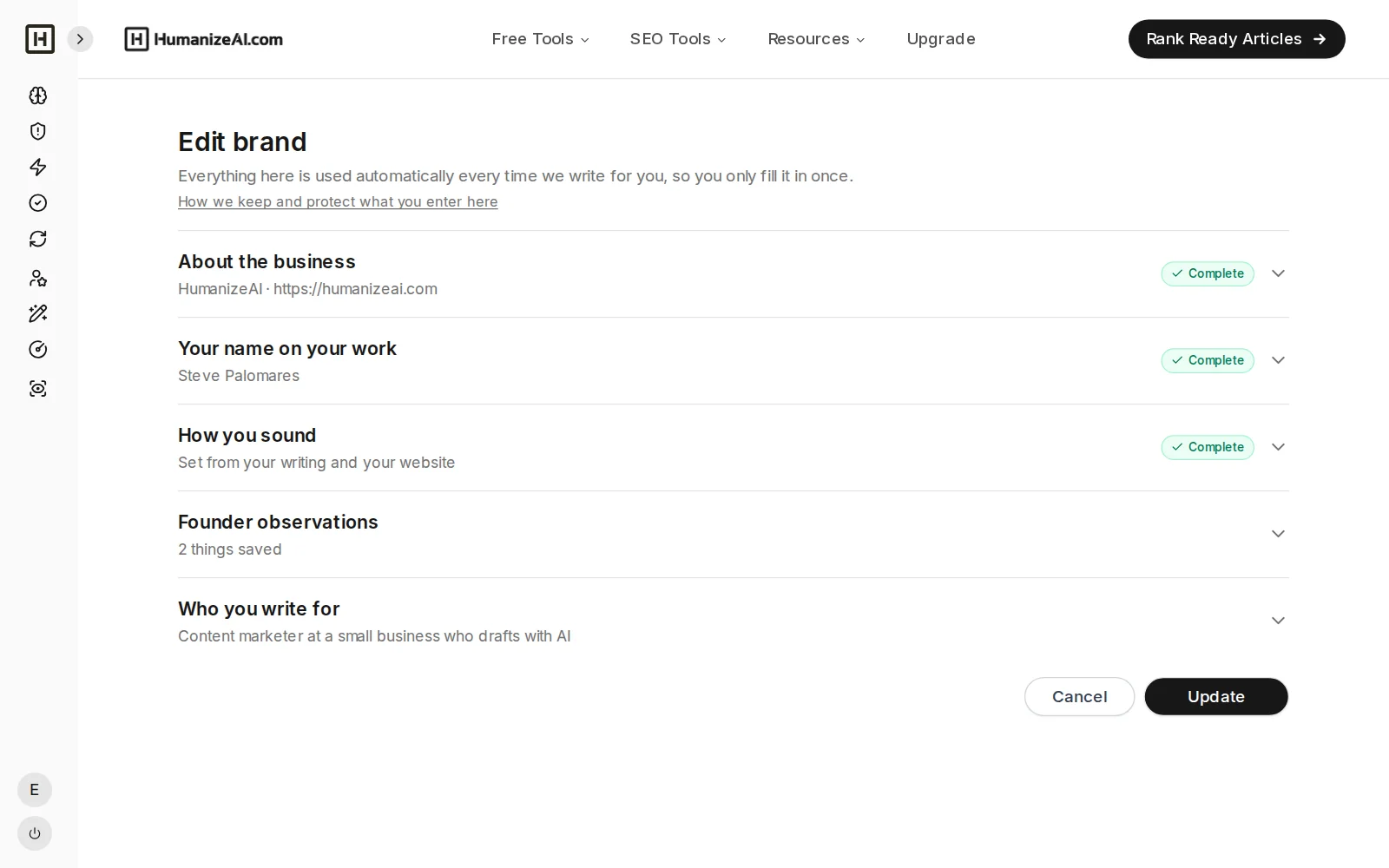
My Brand page for HumanizeAI with its five sections: business, author, voice, Founder observations and audience

Quick answer

A brand voice is how your business sounds in writing, including its personality, tone and word choices. My Brand is an AI brand voice generator inside Content Studio that captures your voice, author, audience and Founder Observations once and applies them to every Content Creator article, so the writing sounds like you and includes what only you know. The Content Optimizer uses the same brand to score and improve articles you already have.

What it holds

Five parts of your brand, set up once

Each part answers one question the writer needs answered before it starts, so it never has to guess.

  1. 1

    About the business

    Your website, business name, what you do and a picture for your articles.

  2. 2

    Your name on your work

    Author name and bio, so your articles carry a real byline.

  3. 3

    How you sound

    Tone, words you use and avoid, and samples of your writing.

  4. 4

    Founder observations

    Your real experience, results and lessons, in your own words.

  5. 5

    Who you write for

    Your target audience, in plain language.

Your voice

It learns how you sound, and you stay in control

Most people cannot describe their own writing style, so My Brand does the first pass for you and lets you correct it.

CAPTURE FROM YOUR WEBSITE

Pull your voice from your own site, then review it

Point My Brand at your website and it captures how you write, including how your sentences move and the habits that make it yours, then you see the result, edit anything and confirm.

  • A first draft of your voice in one click
  • Everything is editable before you save
  • Based on your real writing, not generic samples
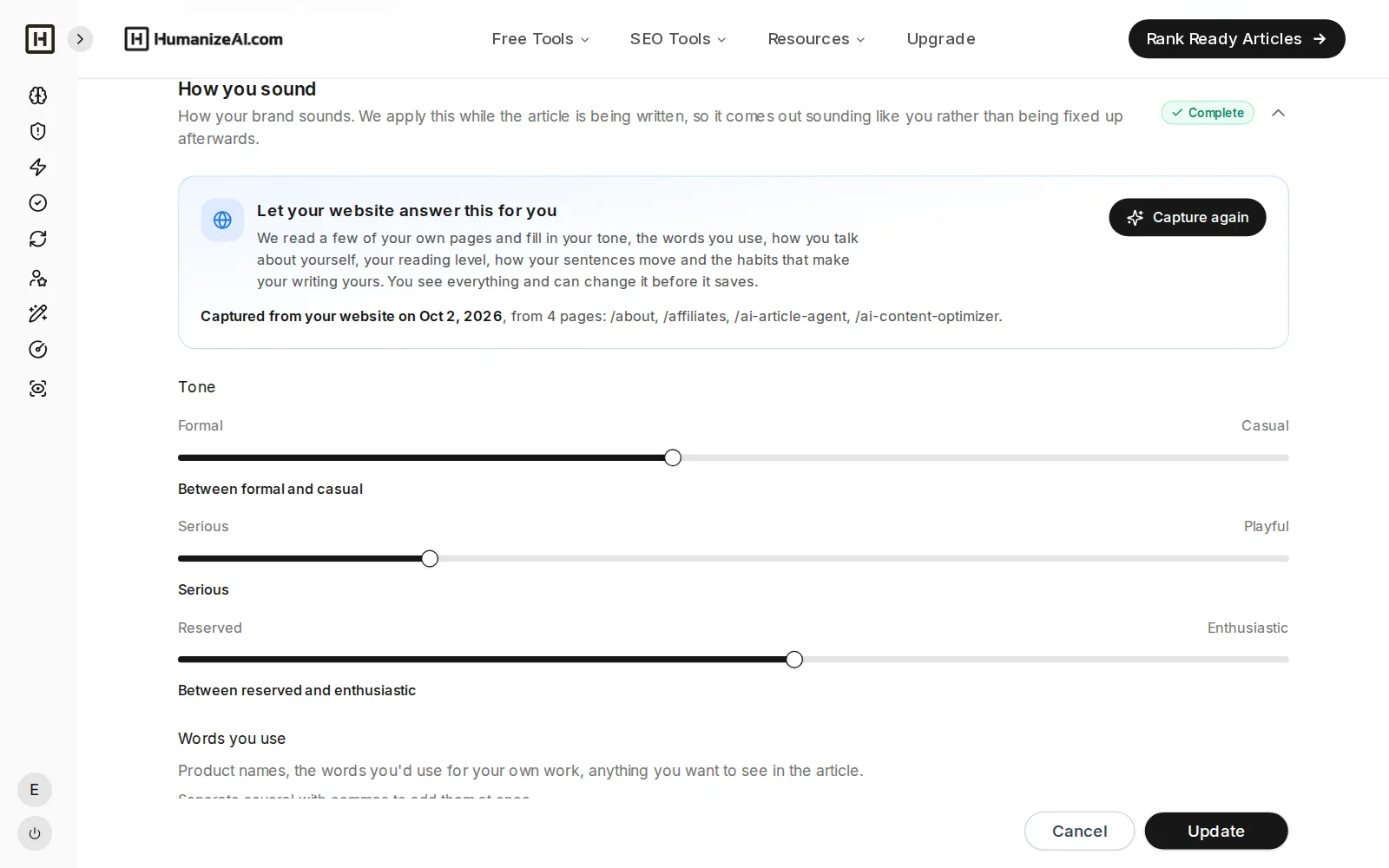
My Brand voice captured from the HumanizeAI website, with tone sliders ready to review

TONE AND WORDS

Set the tone with sliders, and the words you use and never use

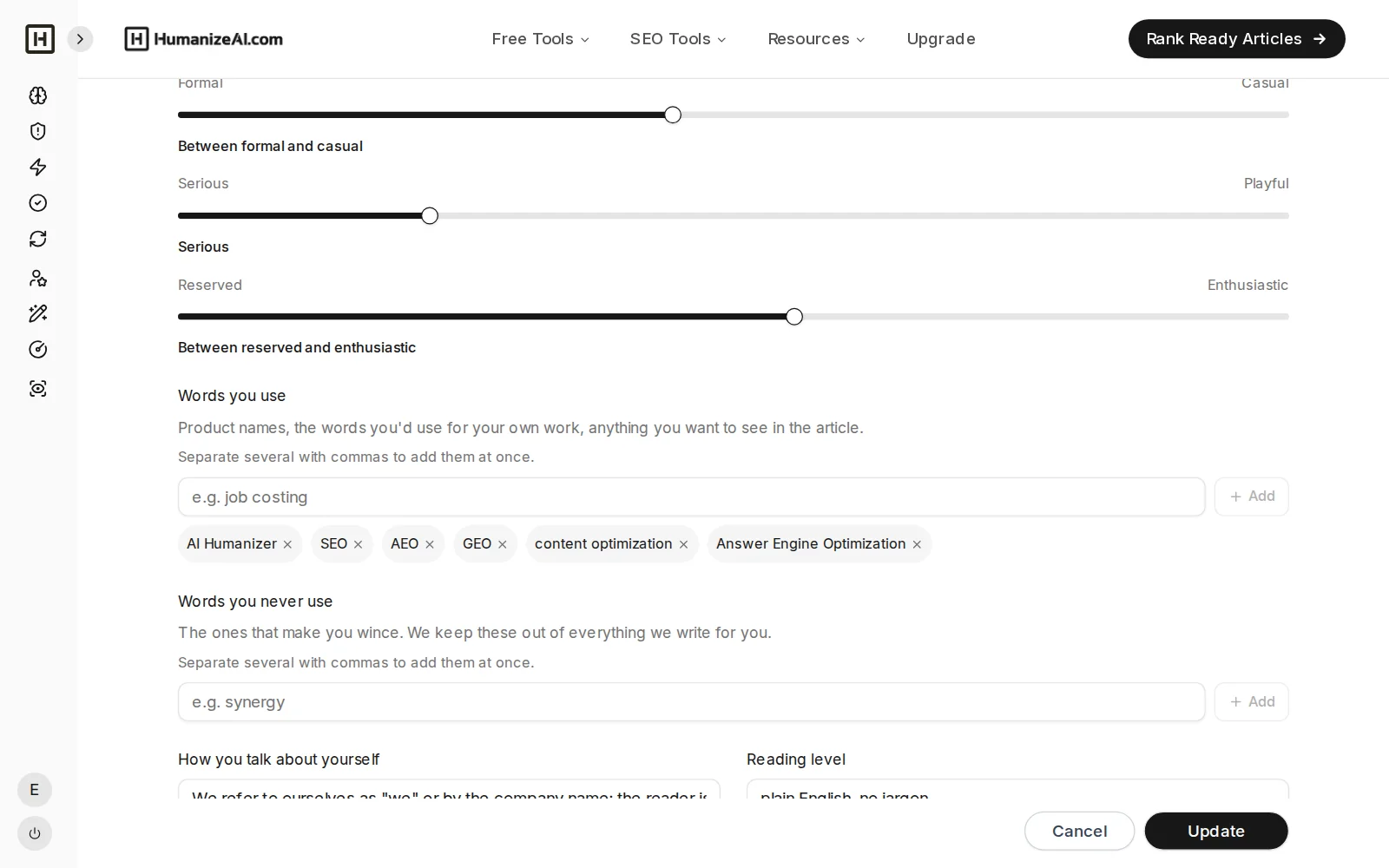
Move simple sliders between formal and casual, serious and playful, reserved and enthusiastic, then add the words you like, the words you never want to see and samples of writing you are proud of.

  • Fast, visual tone controls
  • Word lists for preferred and avoided language
  • Samples of your best writing
My Brand tone sliders, words you use and a writing sample

AUTHOR

Articles signed by a real person

Add the author who signs your articles and My Brand can find their details for you to review, then adds a bio at the end of each piece.
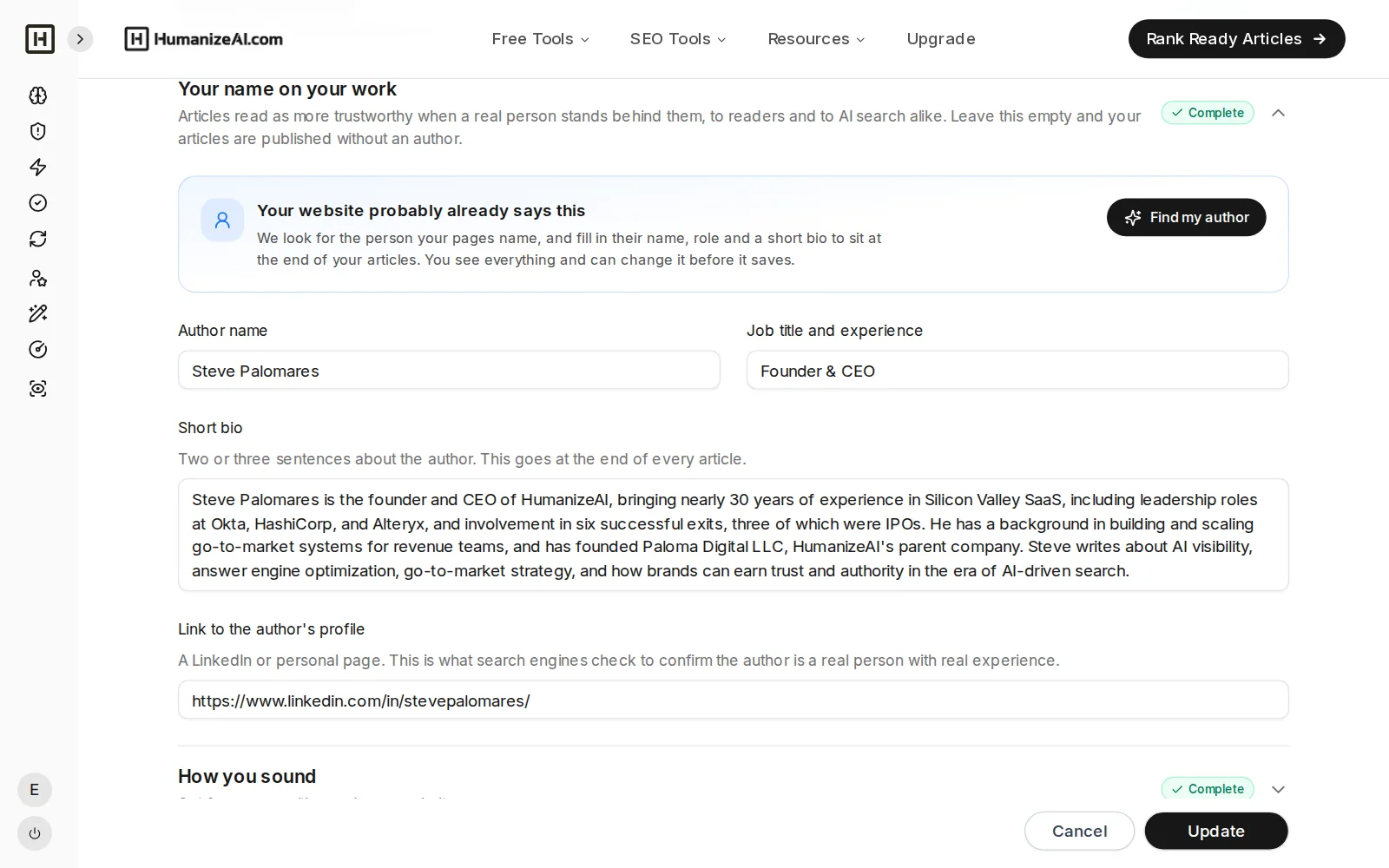
My Brand author section filled in by Find my author, with name, title, bio and profile link

FOUNDER OBSERVATIONS

A library of your real experience, ready for every article

Write down what you have seen, tested and learned once, then choose which observations to include each time you start an article, so your first-hand experience goes into the piece, which is the part a generic AI draft cannot supply.

  • A reusable library, not a one-off field
  • Pick the right observations for each article
  • Add new ones any time, from My Brand or from setup
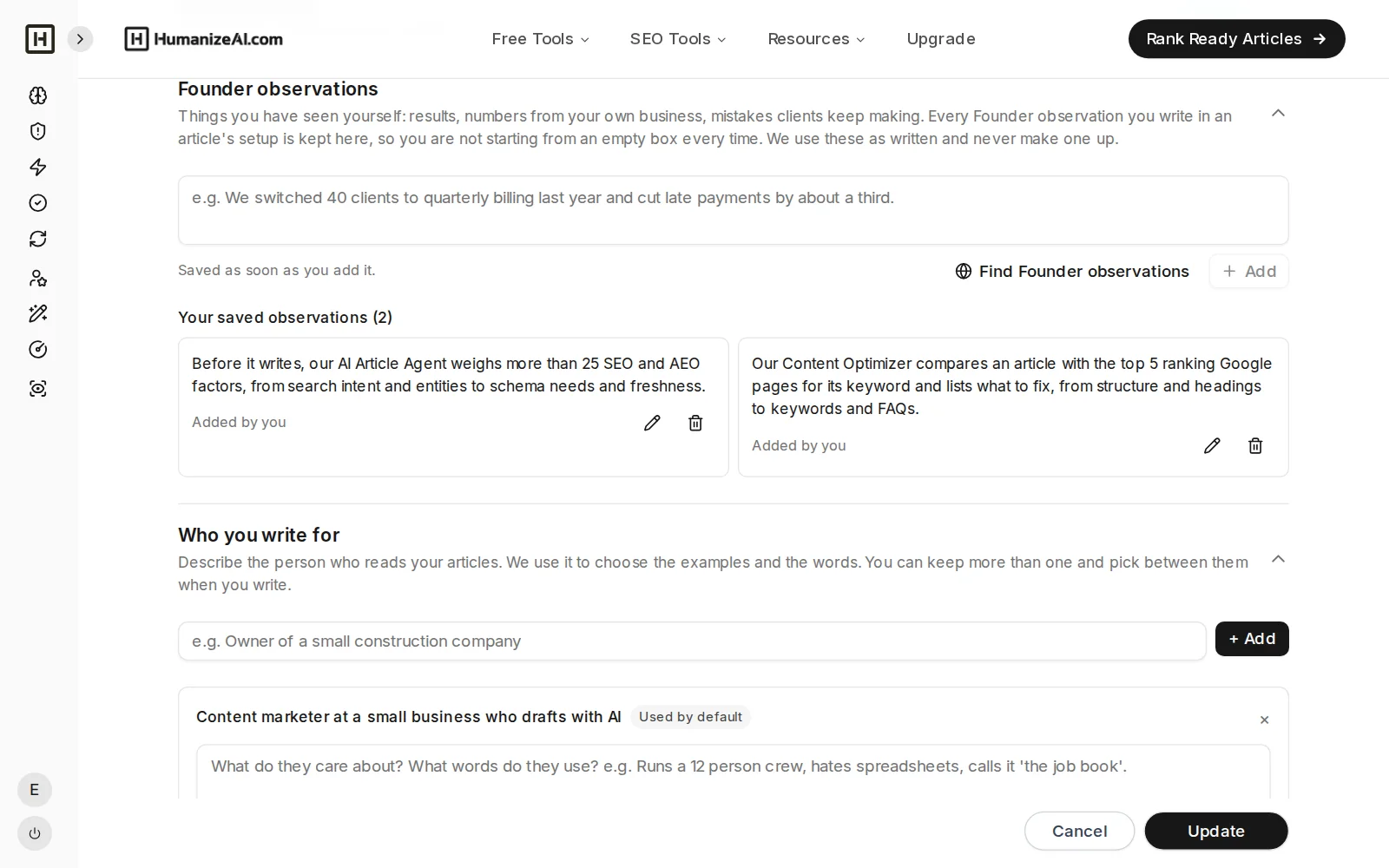
My Brand Founder observations with two saved observations

AUDIENCE

Written for the people you actually serve

Describe who you write for in plain language and Content Creator uses it to choose the right level, examples and angle.
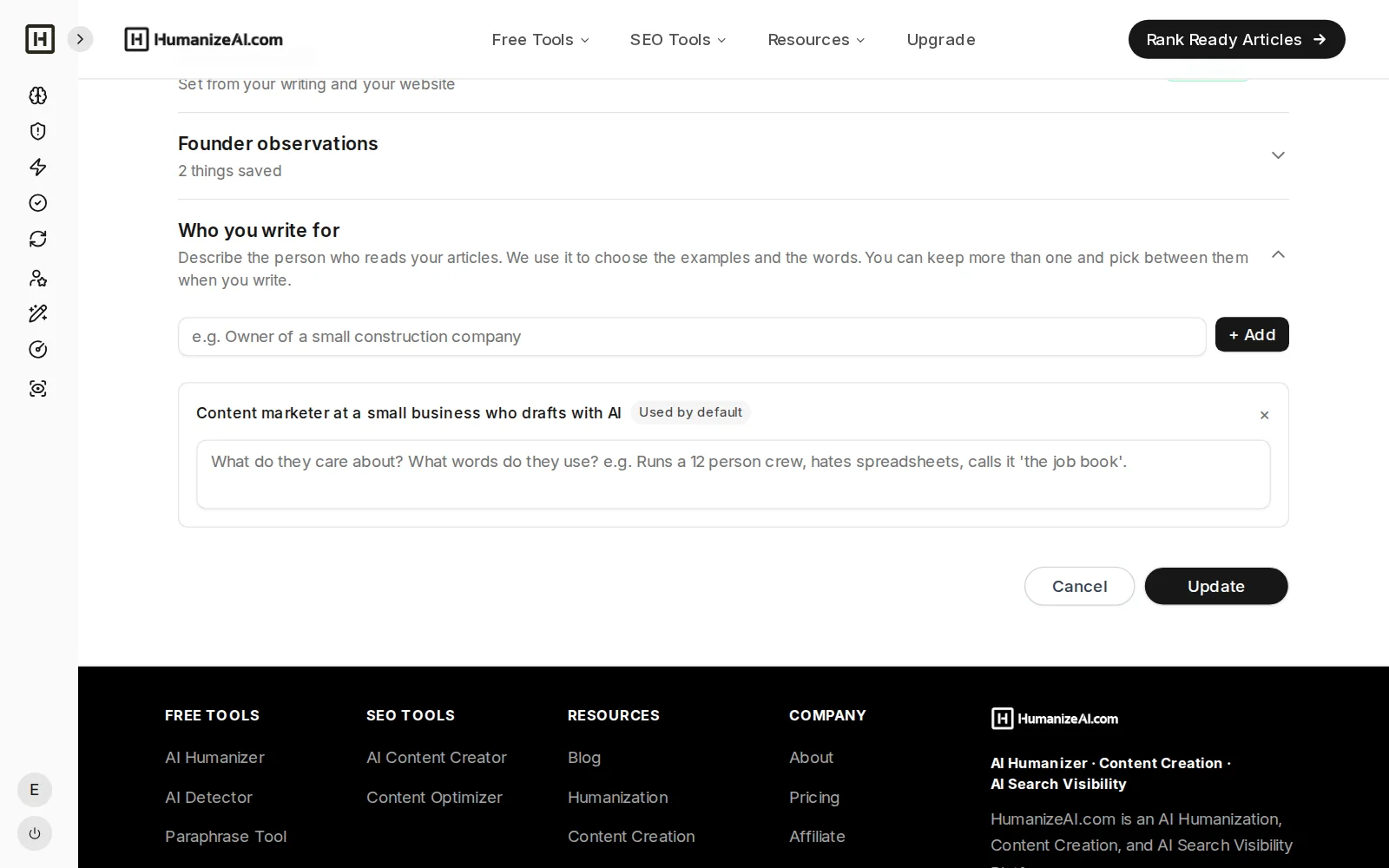
My Brand target audience section

BRAND CHECKLIST

A checklist shows what your brand adds to the piece

When you start an article, a checklist shows what your brand will give it, such as voice, author, audience and Founder Observations, and anything missing links straight to the part of My Brand where you can add it.
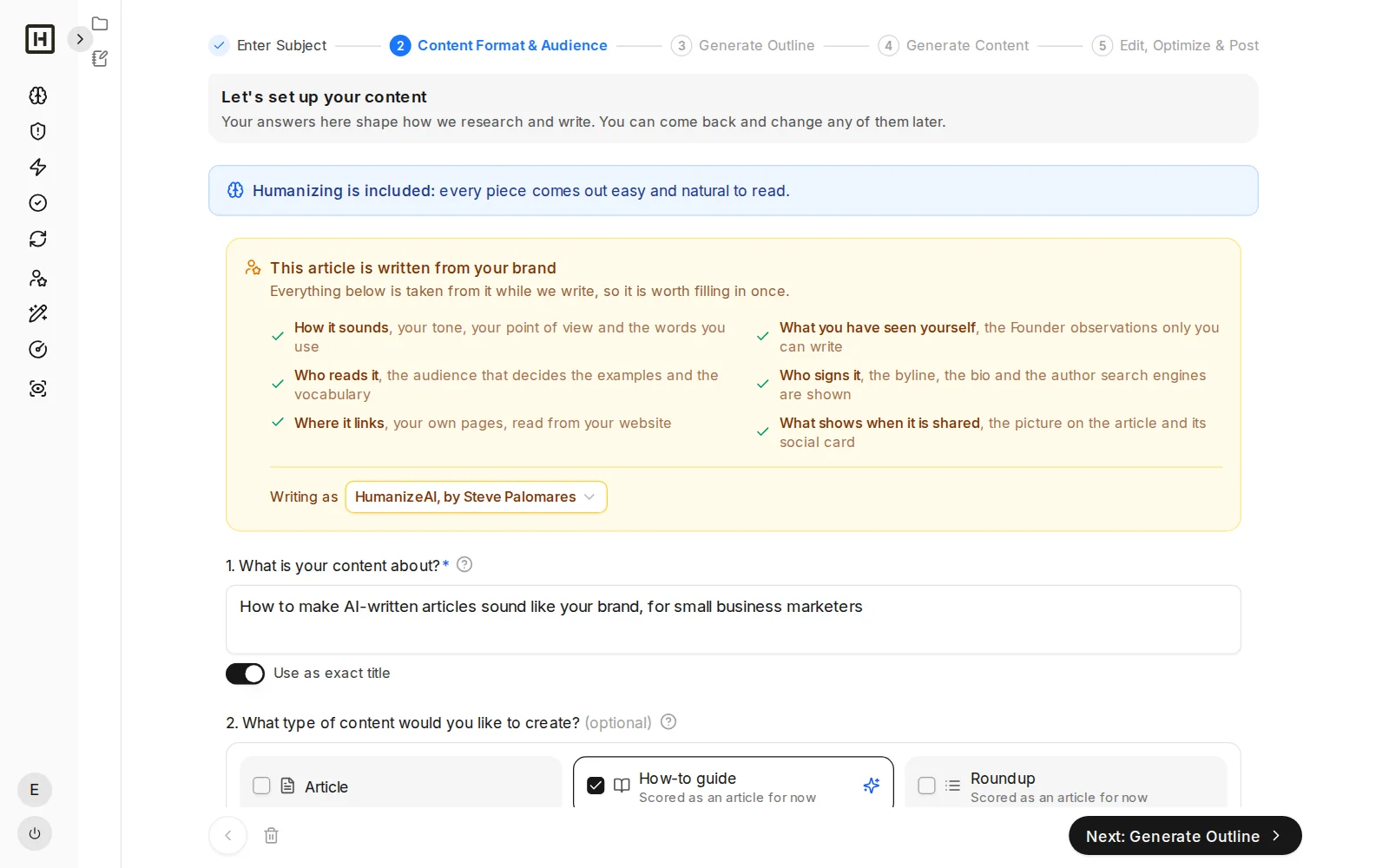
Content Creator setup showing what your brand gives the article as a checklist

MORE THAN ONE BRAND

Keep a separate brand for each business, blog or client

Add as many brands as you need and pick one for each article, which is ideal for agencies and anyone who writes under more than one name.
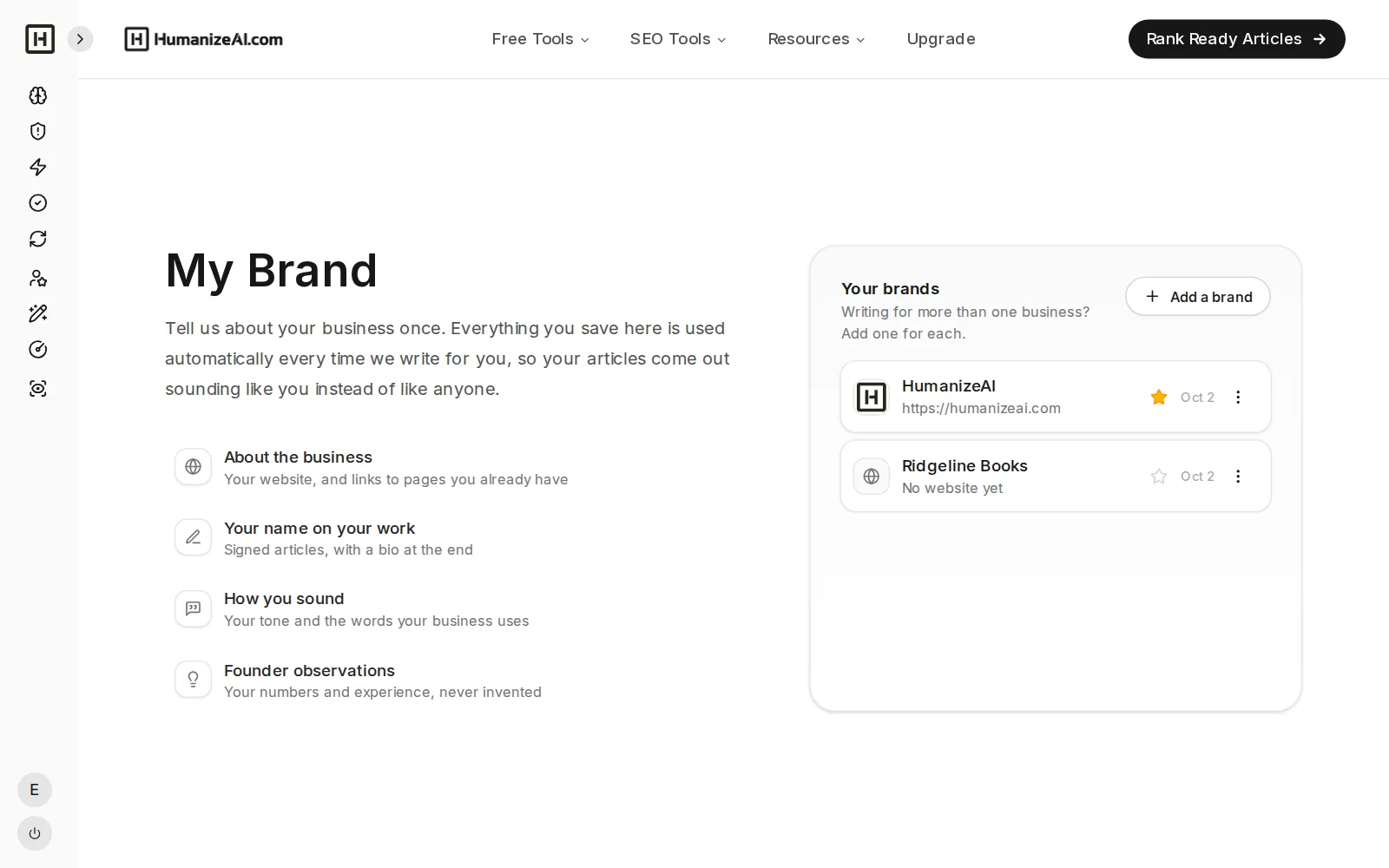
My Brand list with two brands, one with a website and one without
Honest limits

What My Brand does and does not do

What it does

Applies your voice, tone, word choices, author, audience and real experience to every article, so the draft starts closer to how you would write it.

What it does not do

It does not copy your style perfectly or replace your editing, and a brand profile cannot invent experience you have not had, so the best articles use real Founder Observations. Read every draft before you publish.
Questions

Frequently asked questions

What is brand voice?
Brand voice is the consistent personality a business shows in writing, like how formal or casual it is, the words it uses and avoids, and how it talks to readers. Tone is how that voice shifts for a situation, such as a support reply versus a launch post.
What is an AI brand voice generator?
An AI brand voice generator captures how a business writes, from its website and samples, and turns it into settings an AI writer can follow, which is what My Brand does for Content Creator.
How do I make AI write in my voice?
Give the AI more than a prompt by capturing your voice from your website, setting tone and word lists, adding samples of writing you are proud of and adding your own experience as Founder Observations. My Brand stores all of that and applies it to every article.
How do I create my brand voice?
Start with your audience, decide how formal, playful and enthusiastic you want to sound, list the words you use and avoid, and collect writing you like, and My Brand gives you a place for each of these and can capture a first draft from your website.
What is My Brand?
My Brand is the profile inside HumanizeAI Content Studio that tells Content Creator and the Content Optimizer who you are, storing your business details, author, voice and tone, Founder Observations and target audience and applying them to every article you create or optimize.
Do I have to fill everything in by hand?
No. If you have a website, you can capture your voice and find your author from it, then review and edit what it found before you save.
What are Founder Observations?
They are your real experience, results and lessons, saved as a reusable library, so you write them once and choose which ones to include each time you start an article.
How does My Brand change the article?
Content Creator writes with your voice and tone, your preferred and avoided words, your author byline and your audience in mind, and works in the Founder Observations you select. The setup screen shows what your brand gives the article before anything is written.
Does the Content Optimizer use My Brand?
Yes. When you optimize an article you already have, you pick the brand it belongs to, and its Content Authenticity Score checks the article against that brand’s voice, author and audience. Improve with AI then rewrites the weak parts in the same voice. For a client’s or someone else’s article, pick No brand.
Can I keep more than one brand?
Yes, you can add multiple brands, which suits agencies and anyone who writes for more than one business or blog.
Can it copy my exact writing style?
It gets close by using your tone settings, word lists, samples and habits, but no tool matches a writer perfectly, so review each draft and edit it until it sounds the way you want.
Is My Brand the same as the Humanizer?
No. My Brand shapes how new articles are written from the start, while the Humanizer rewrites text you already have. In Content Creator, a final natural-voice pass then takes out common signs of AI writing.
How do I train ChatGPT or Claude to write in my voice?
The usual method is to paste a large sample of your best writing, ask the AI for a style guide and save it as custom instructions, which works, but you repeat it for every tool and project. My Brand does it once, capturing your voice from your website and samples, adding your tone settings, word lists and Founder Observations, and applying them to every Content Creator article.
How does a brand voice generator work?
A brand voice generator reads your website, samples of your writing or a short description of your business, looks at things like vocabulary, sentence length and tone, and turns them into a reusable profile. My Brand captures this from your website, shows you the result and lets you edit it before you save.

Set up your brand once and write in your voice from the first draft

Capture your voice, add what only you know, and let every article start as yours.