





An AI article writer for SEO that researches the SERP, writes in your voice and scores for AI citation
Content Creator studies what already ranks, finds the questions people ask, gathers sources and writes with your brand voice and your own experience, then scores the draft so you can fix it before you publish.
- No credit card for the free plan
- Cancel anytime
- 3-day money-back guarantee
Quick answer
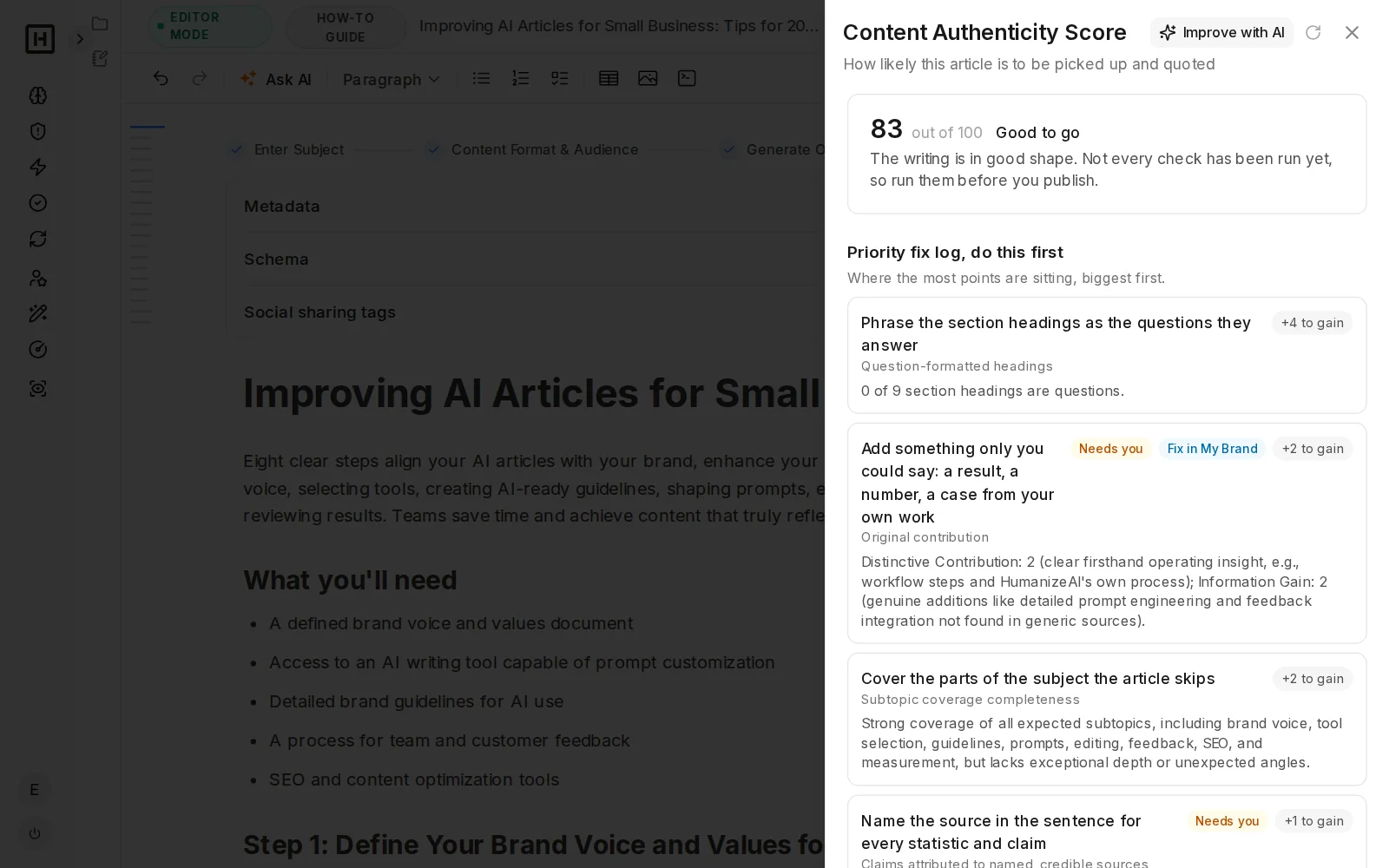
Content Creator is HumanizeAI's AI article writer for SEO. It researches the search results and the questions people ask, finds sources, writes in your brand voice with your own observations and scores the draft with the Content Authenticity Score, so you can fix what scored low, edit in a full editor, check grammar and plagiarism, and export to Word.
From topic to finished article in one workspace
Most AI writers start with one prompt, but Content Creator starts with research and ends with a scored, checked article.
- 1
Research the SERP
Reads the articles already ranking for your keyword.
- 2
Find the questions
Pulls the questions people ask most about the topic.
- 3
Find sources
Studies and named publishers for the main sections, shown to you before writing.
- 4
Apply your voice
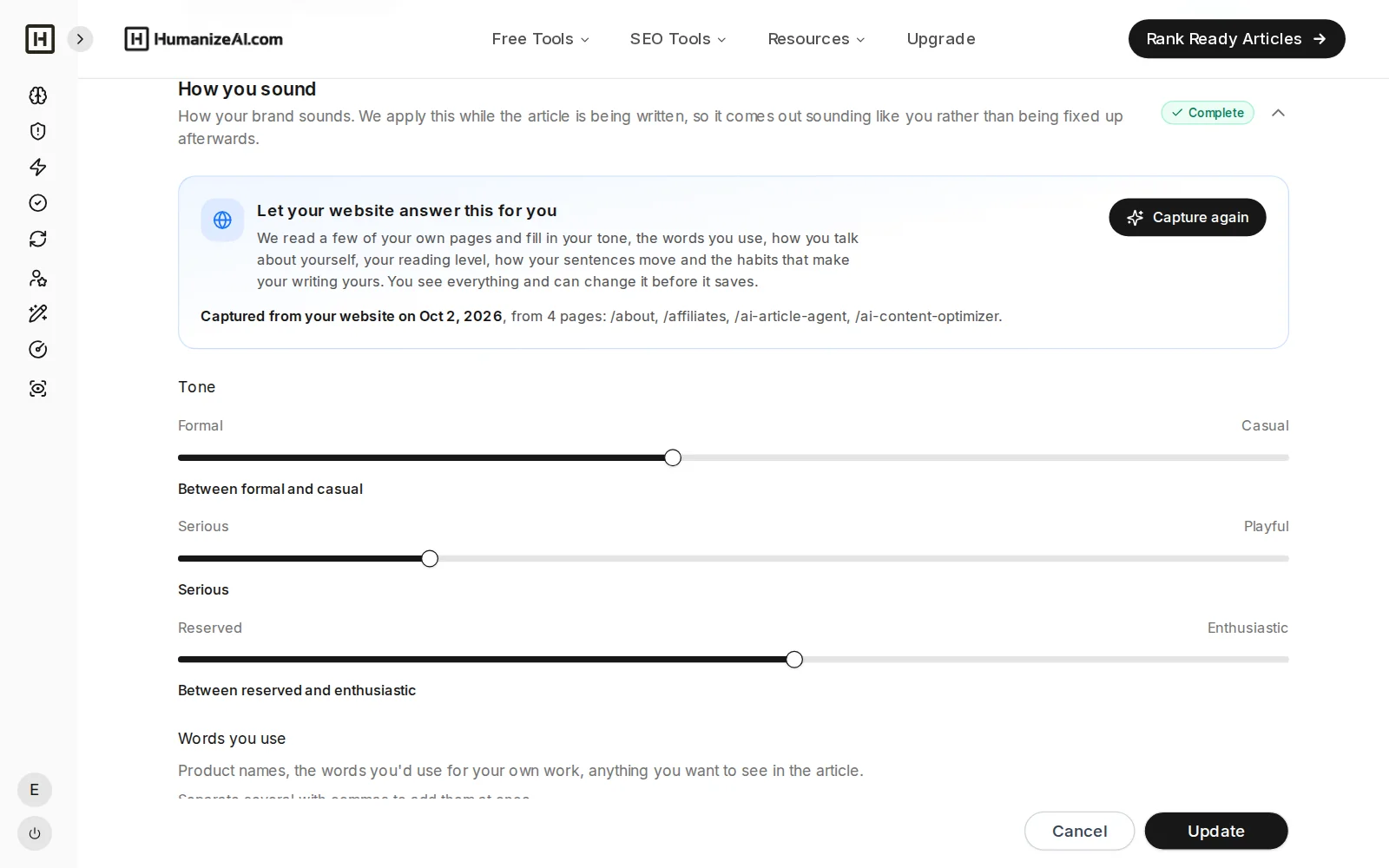
Brand voice, tone, observations and experience.
- 5
Outline and headline
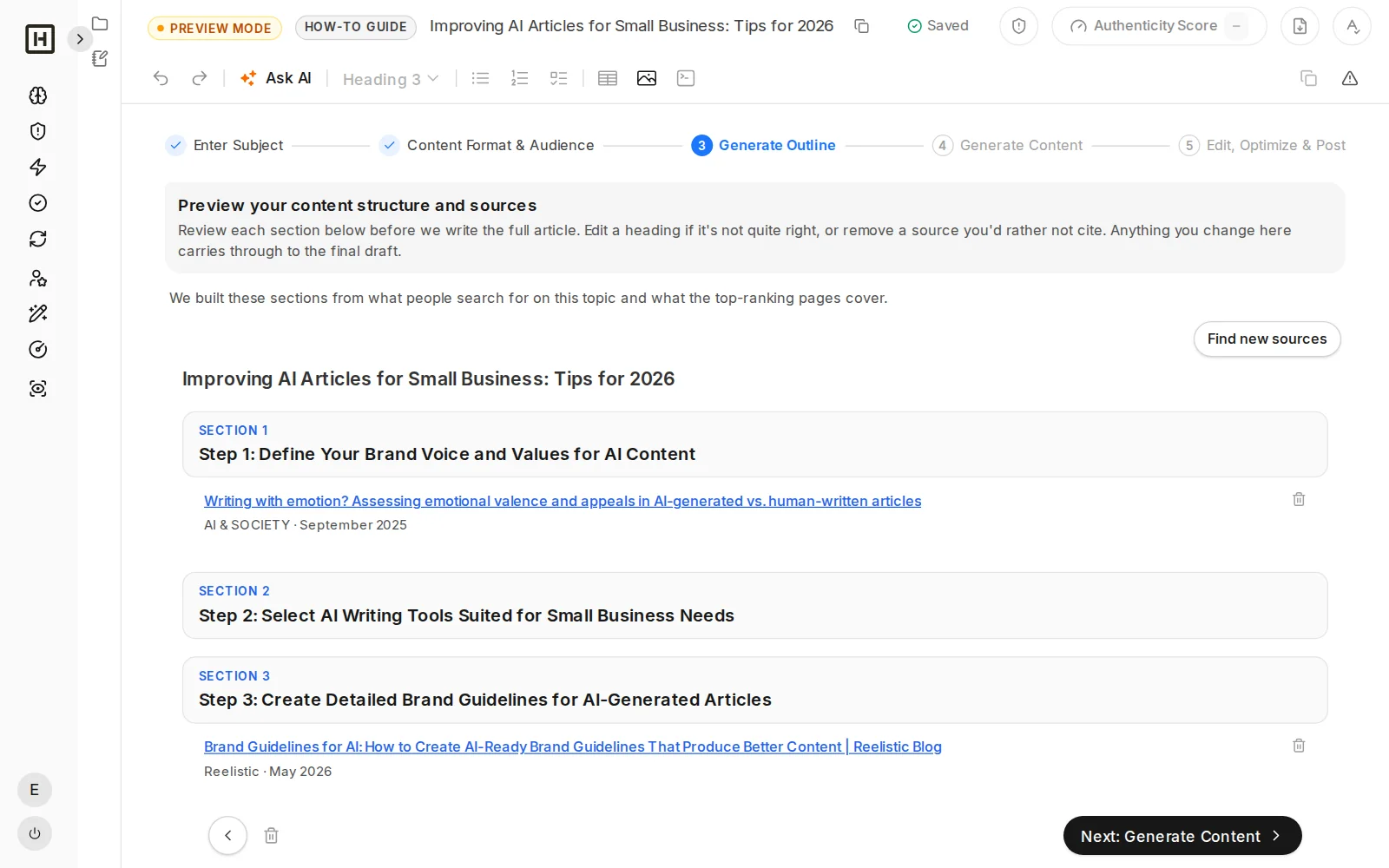
Review the outline, then edit the headline or keep your own title.
- 6
Write
Opens with a direct answer and, in most formats, ends with an FAQ.
- 7
Natural voice
Takes out stock phrases and other common signs of AI writing.
- 8
Score and fix
Content Authenticity Score, with fixes for what pulls it down.
- 9
Edit
Full editor with images, tables and AI help.
- 10
Check and export
Grammar and plagiarism checks, then export to Word.
SERP RESEARCH
Study the articles that already rank for your keyword
Content Creator looks at the top results for your keyword and what they cover, so your article hits the main topics searchers and search engines expect.
- Covers the main keyword and its related topics
- Plans the sections around what the top results cover
- Sets the structure before any writing starts
QUESTIONS
Answer the questions people ask most
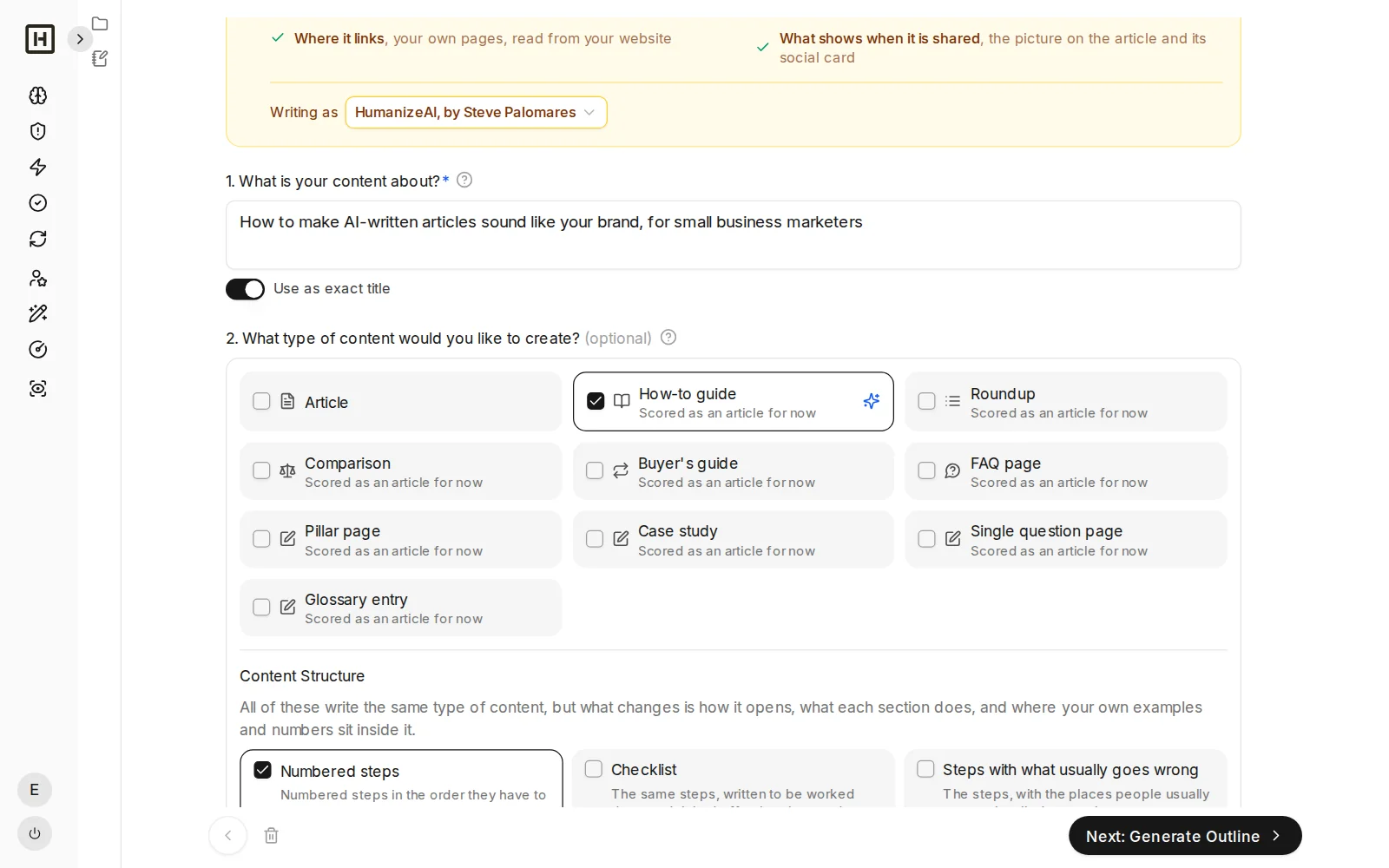
It finds the most commonly asked questions about your topic and works them into the headings and the FAQ, so the article answers what readers and AI engines are looking for.
- Questions drawn from real search behavior
- Built into headings and, in most formats, an FAQ section
- Written as direct, quotable answers
SOURCES
Built from sources you see first
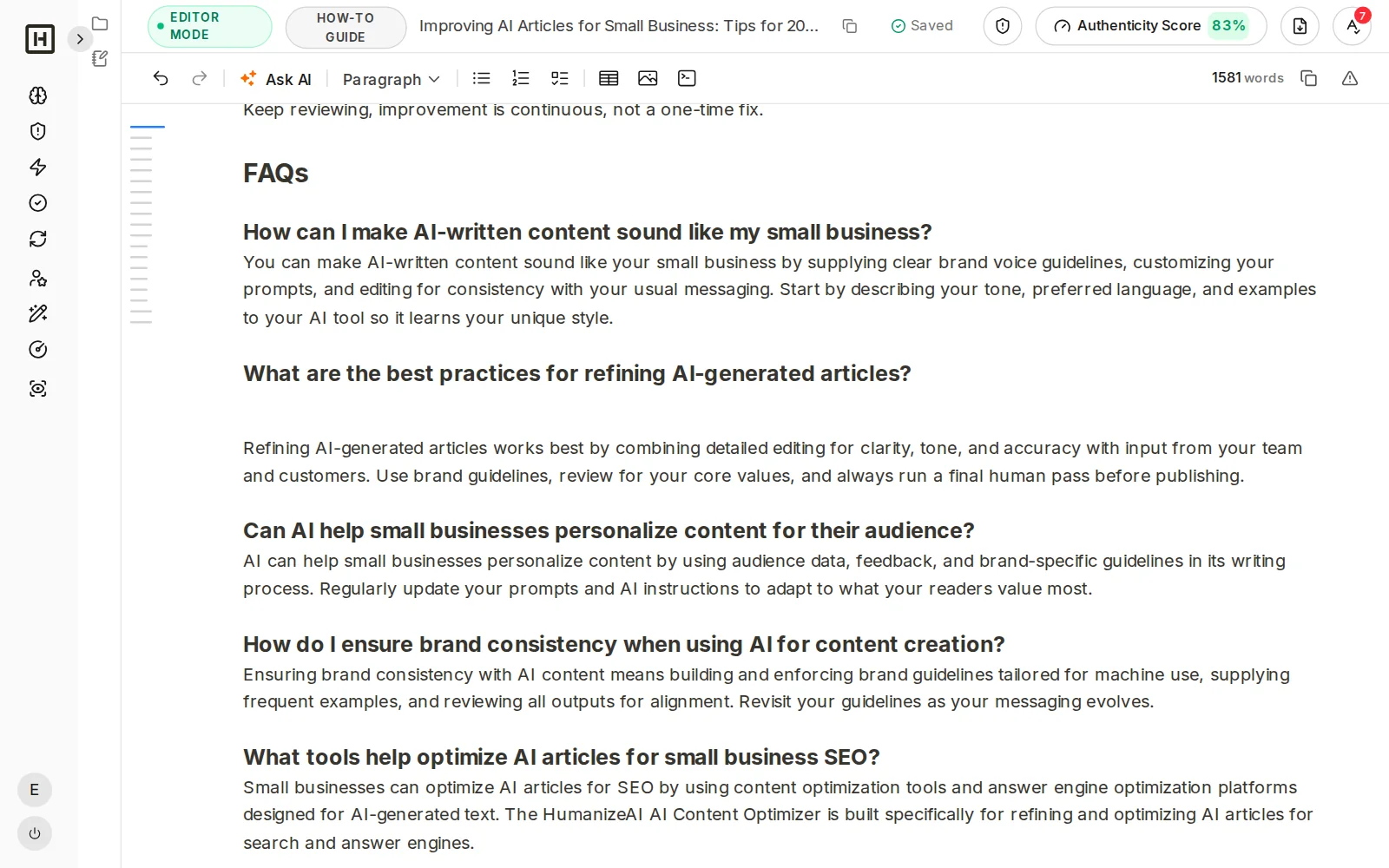
The research gathers published studies and pages with a named publisher for the main sections, and the outline shows them up front so you can check where the facts come from before the article is generated.
- Outline and sources reviewed before writing
- Remove a source or search for new ones
- A stronger base than an unsourced AI draft
It writes like you, with your experience in it
Generic AI articles sound like everyone else, but yours should sound like you and say something only you know.
BRAND VOICE
Your voice, tone and brand, saved once
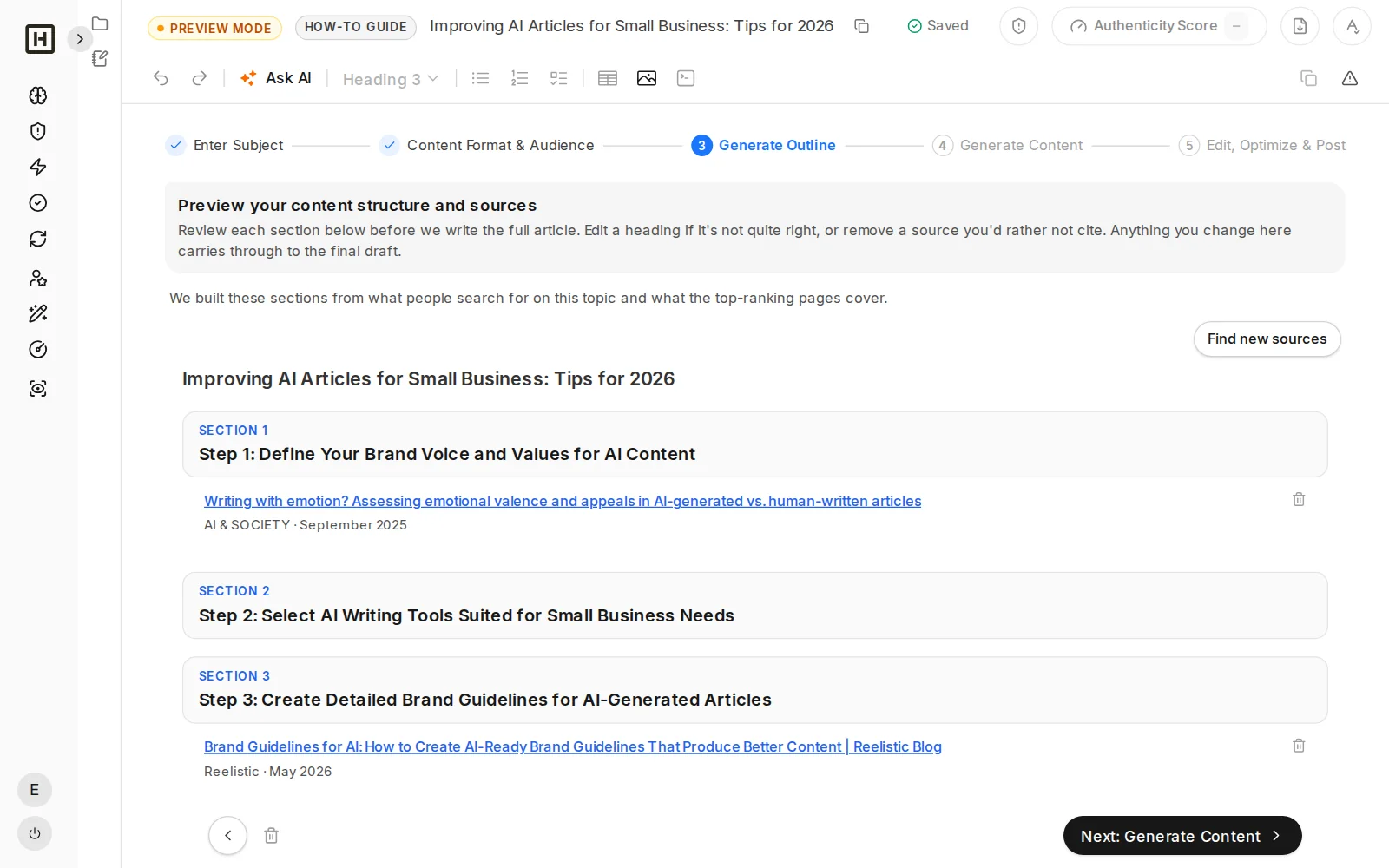
My Brand stores your voice, tone, author details, main pages and brand image, and every article uses them, so the draft follows the way you actually write.
- Voice and tone applied to every piece
- Author details and links to your pages included
- Reuse the same brand across all your articles
OBSERVATIONS AND EXPERIENCE
Add what you have seen, tested and learned
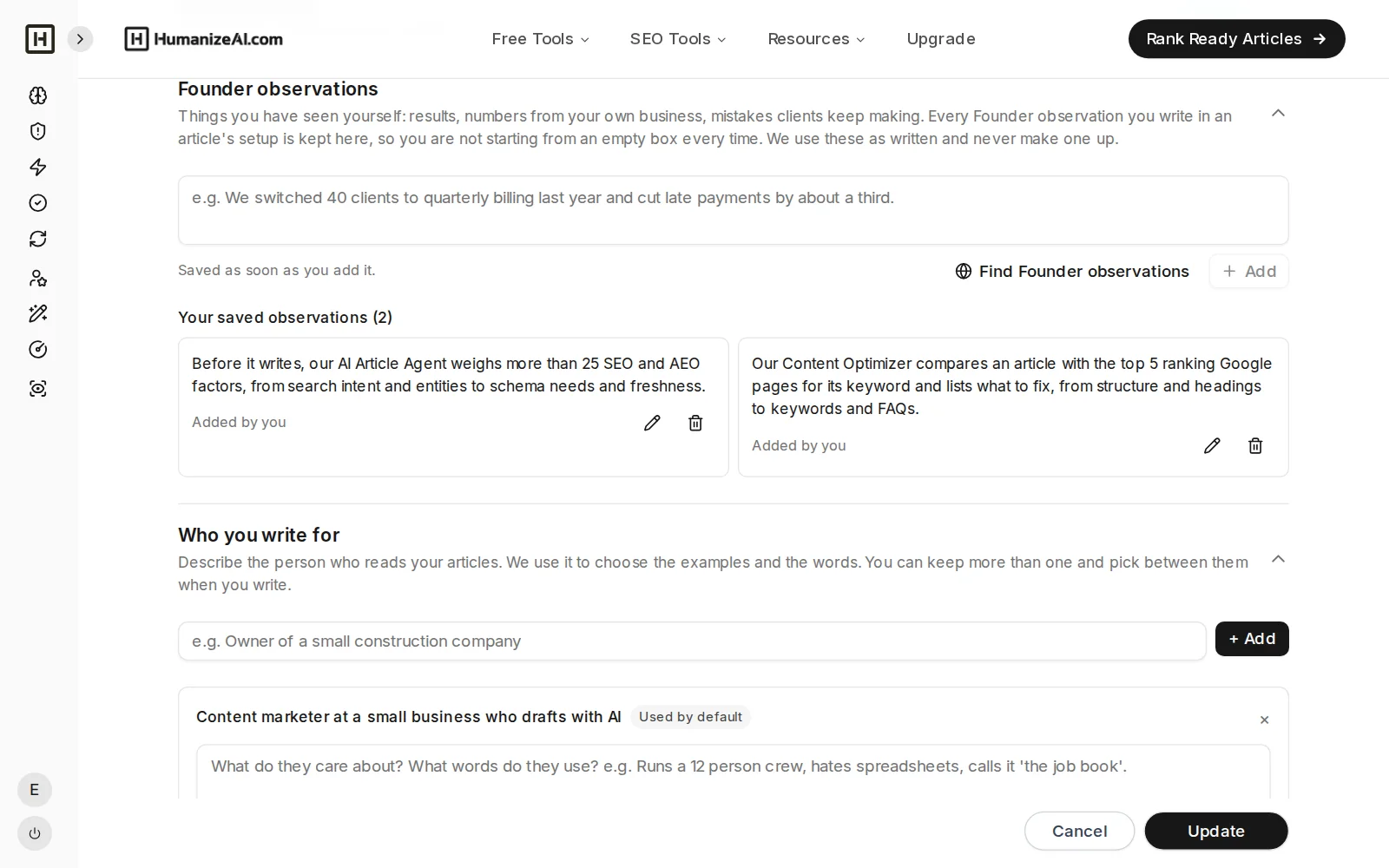
Add your own observations and experiences for each article and they are written into the piece, giving it first-hand content that generic AI drafts cannot produce and that readers and AI engines can tell apart.
- Founder observations in the setup
- Your examples and opinions, in your words
- Short setup: topic, content type, country, observations, audience
NATURAL VOICE
Edited so it reads like a person wrote it
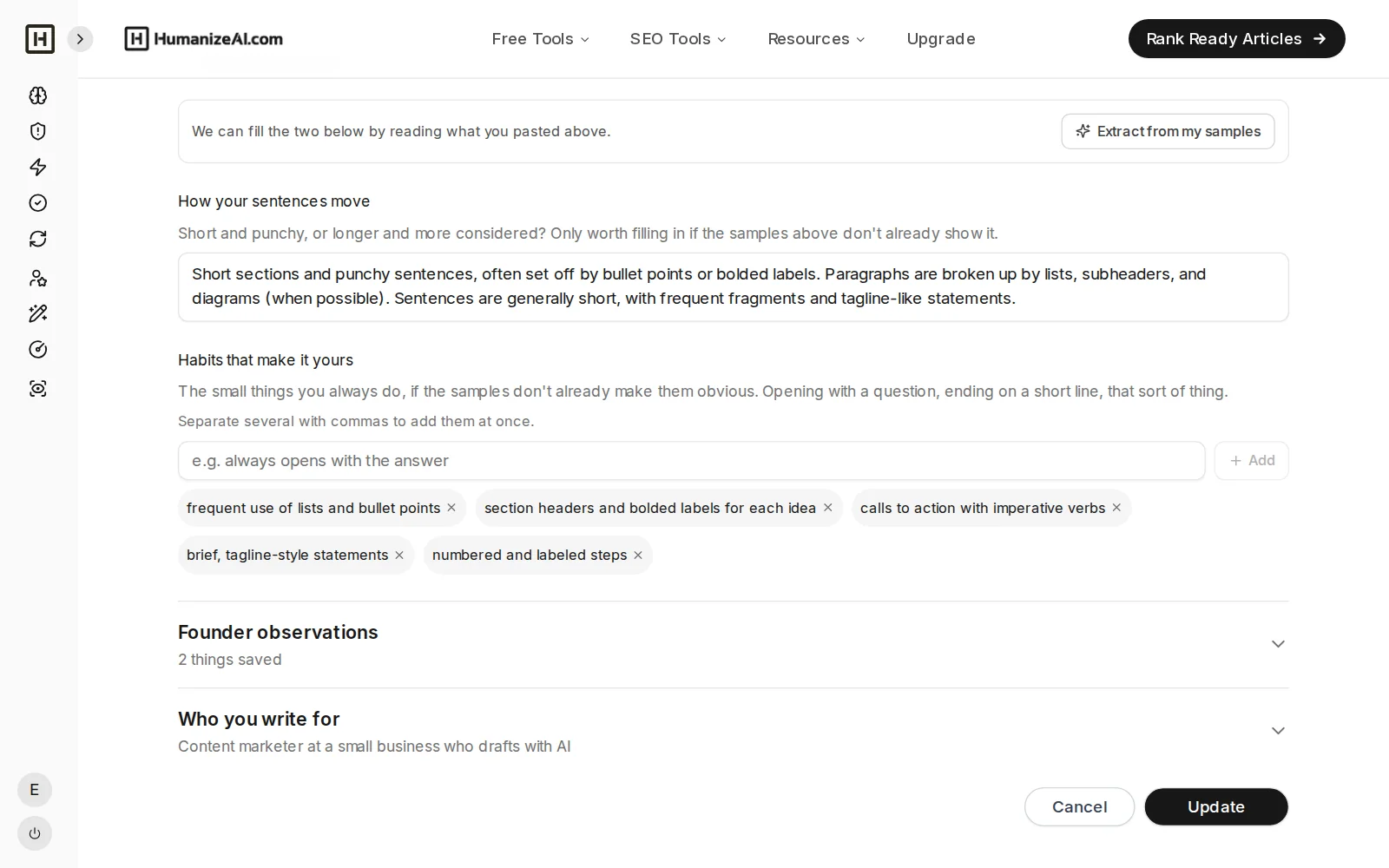
The habits and sentence rhythm saved in My Brand shape how it writes, and a natural-voice pass then takes out stock phrases and other common signs of AI writing, while you stay in control of the final text.
OUTLINE AND HEADLINES
Review the outline and a headline built to earn the click
See the structure first and change whatever you like, then edit the headline written to earn the click or keep your own title word for word.
AI-READY FORMAT
Formatted to give AI engines the best chance to cite it
Clear headings, a direct answer at the top and ready-to-paste schema code, with most formats ending in an FAQ section built from the questions people ask.
- A direct answer at the top
- Structured headings and ready-to-paste schema code
- An FAQ section in most formats
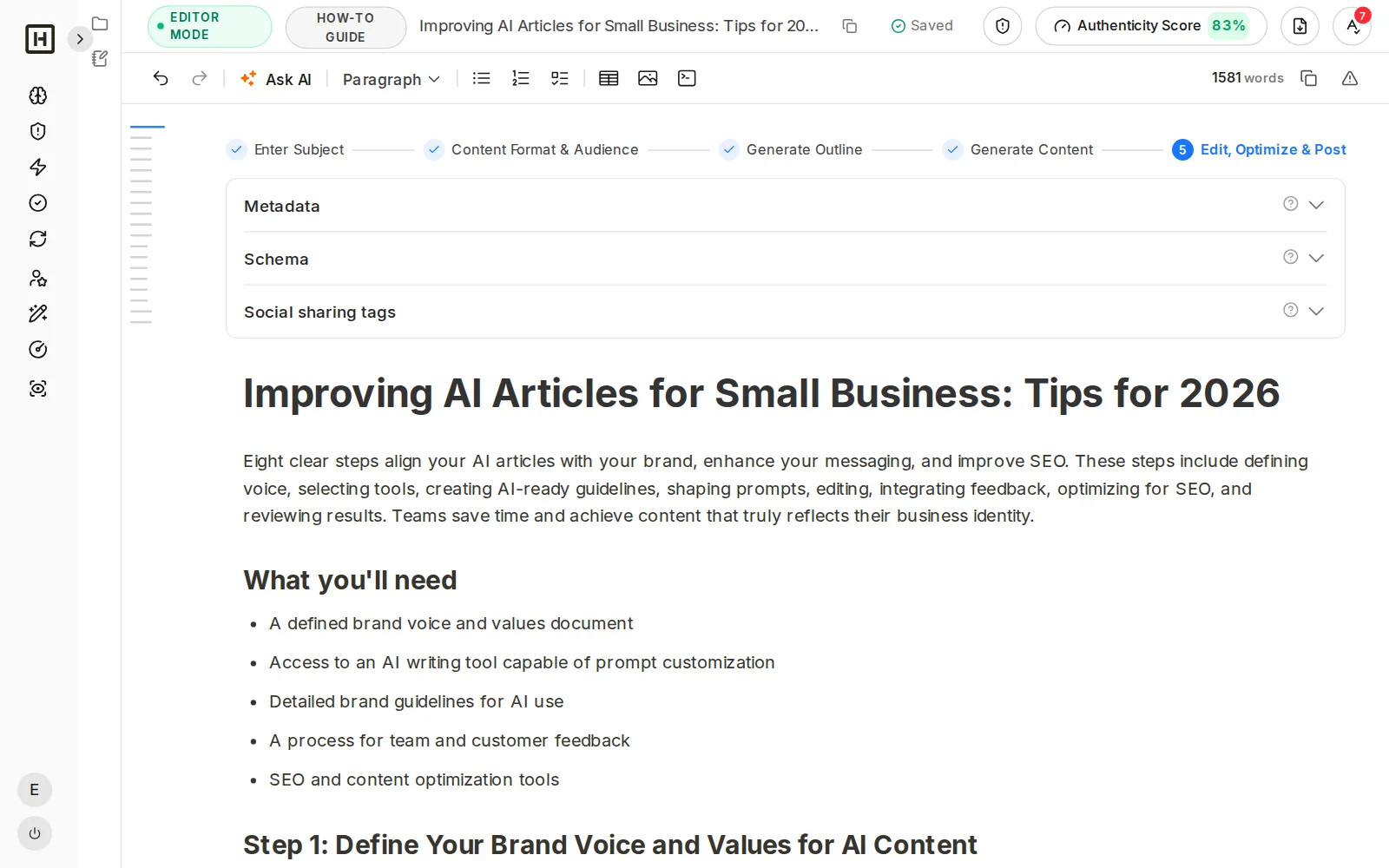
CONTENT AUTHENTICITY SCORE
Scored with the Content Authenticity Score
Every article gets a score and a list of issues that pull it down, so you can fix them in the editor and watch the score rise. The higher the score, the more the piece does what AI engines tend to cite.
- Score with specific, fixable issues
- Re-score after each change
- A signal to improve against, not a guarantee
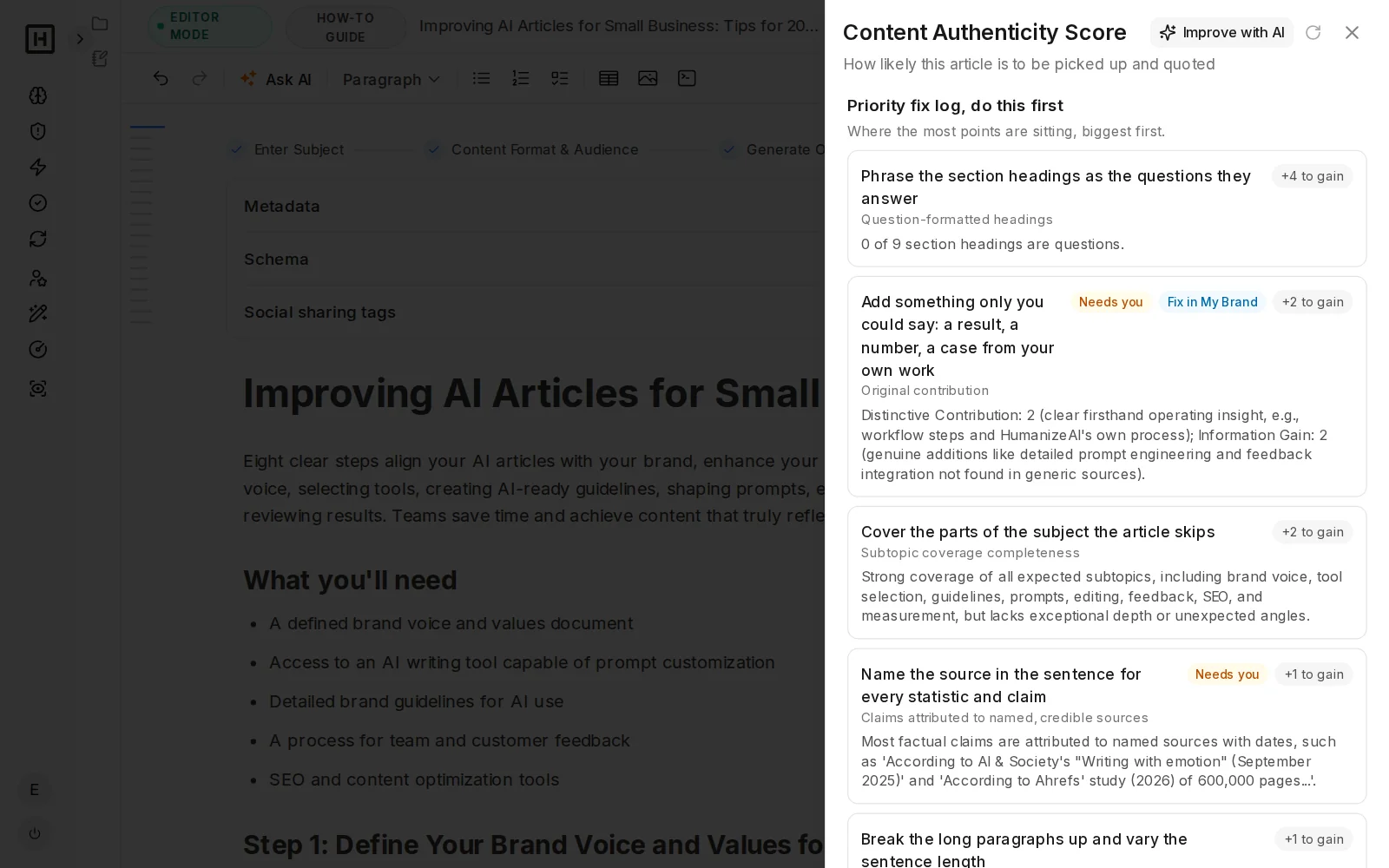
EDITOR
Edit text, add images and tables, or ask AI to improve it
A full editor sits right in the flow, so you can change anything, insert images and tables, and use AI to improve the writing, change tone, simplify, translate or follow a custom instruction.
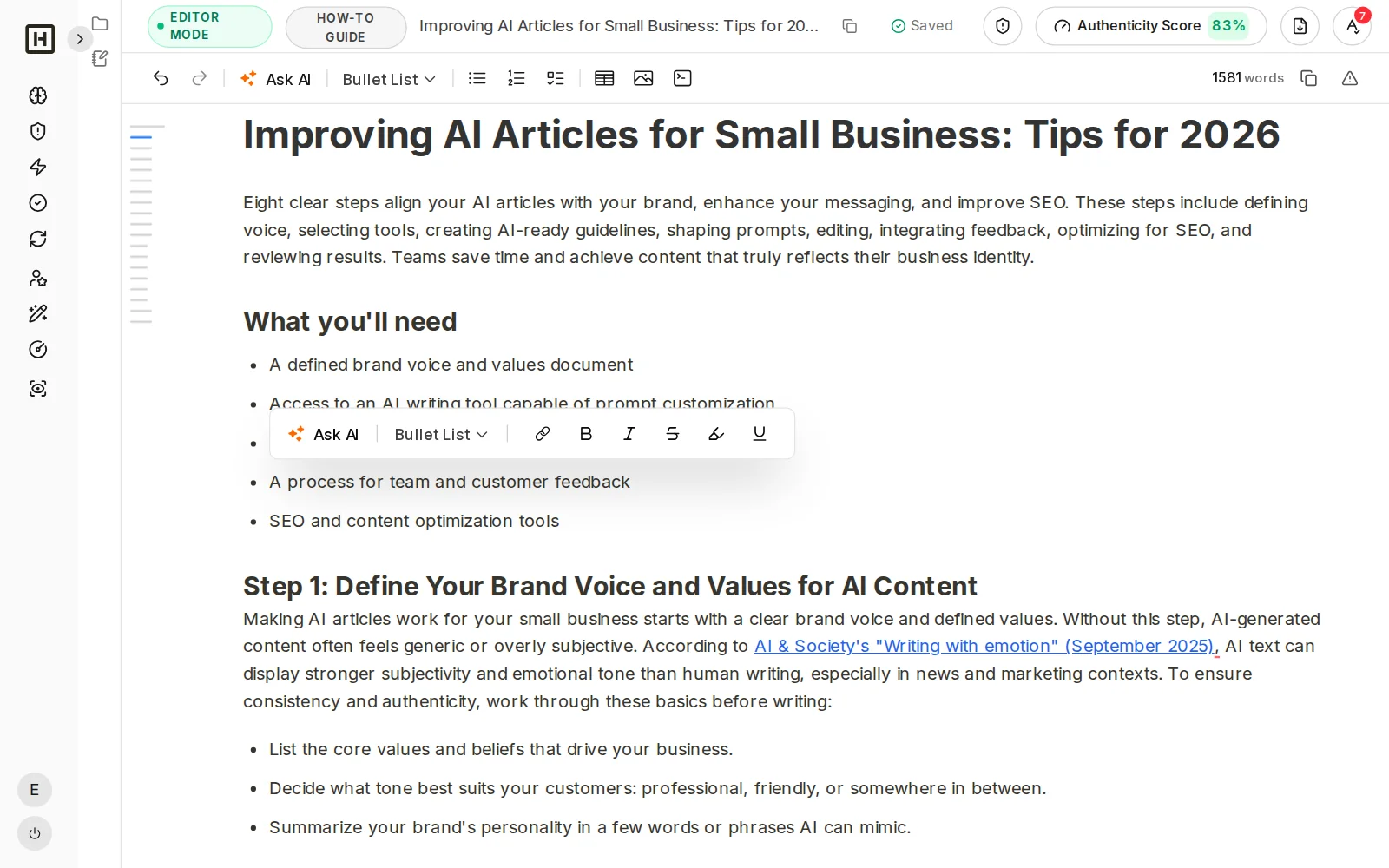
CHECKS AND EXPORT
Check grammar and plagiarism, then export
Run the grammar check and the plagiarism spot check inside the editor, then export to Word without copying anything into other tools.
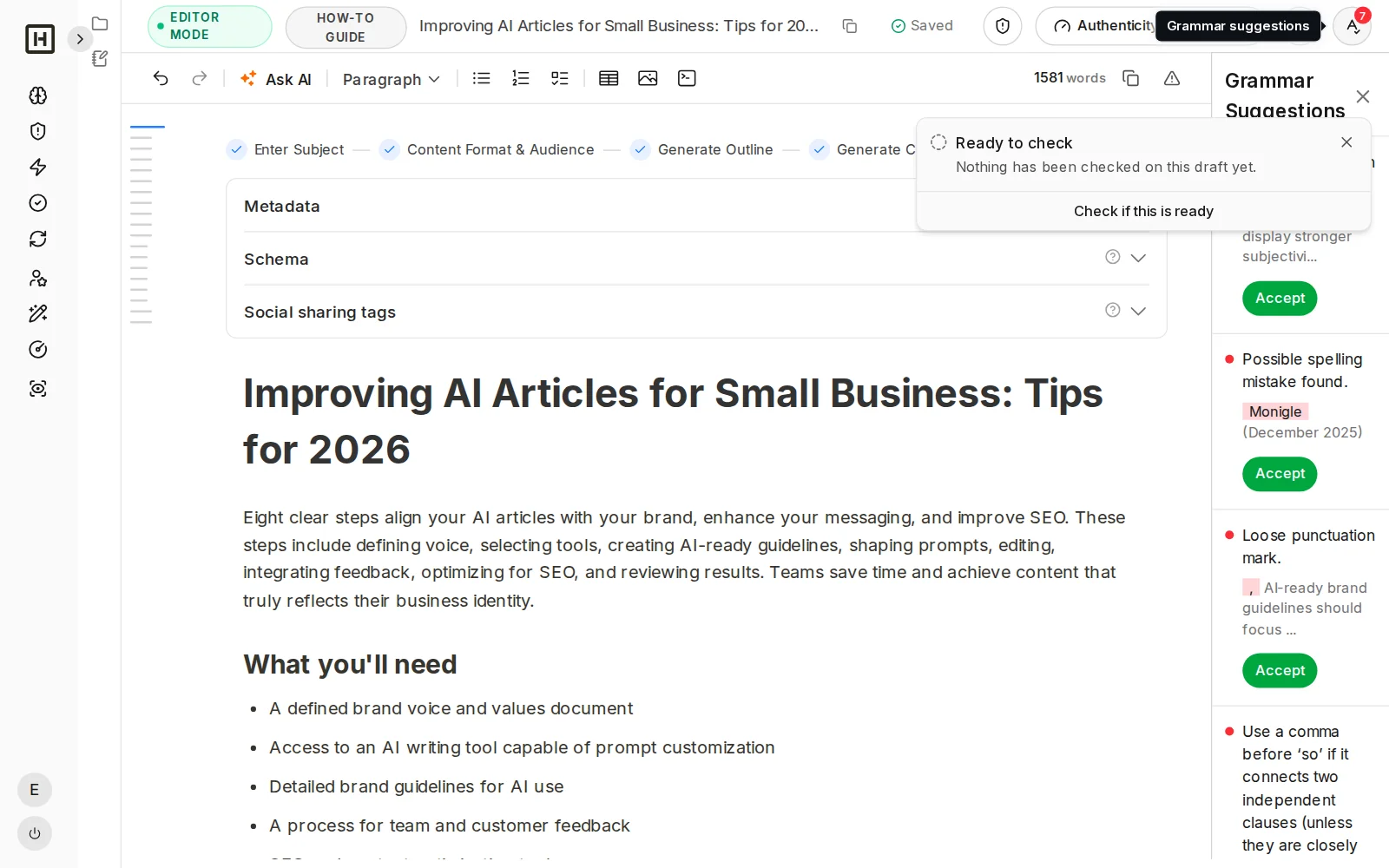
How Content Creator differs from an AI chatbot
Chat tools are useful for drafts, while Content Creator is built for the whole job of publishing something that ranks and can be cited.
One prompt in an AI chatbot
- Writes from what the model already knows
- Sources are often missing or unchecked
- Generic voice unless you re-explain it each time
- No score, no list of what to fix
Content Creator
- Researches the SERP and the questions people ask first
- Shows its sources before writing
- Applies your saved brand voice and observations
- Scores the draft and shows what to fix
What Content Creator does and does not do
What it does
What it does not do
Frequently asked questions
What is an AI article writer for SEO?
Can I use AI to write blog posts?
What is generative engine optimization (GEO)?
How is Content Creator different from asking ChatGPT to write an article?
Will Google penalize AI-written content?
How do I get my content cited by ChatGPT, Perplexity and Google AI Overviews?
Which AI writer is best for blogs and SEO content?
Does it make up facts or sources?
What is Content Creator?
How does it research before writing?
What is the Content Authenticity Score?
Will the article actually rank?
Does it write in my voice?
Does the article sound natural?
Can I edit the article inside the tool?
Can I check grammar and plagiarism before publishing?
Does it help with headlines?
I already wrote an article. Can I improve it?
Write your next article from a topic, in your voice
Research, source, write, score and fix in one flow, then export an article you have checked yourself.