





Already wrote it? See exactly what to fix before you hit publish.
Paste an article or drop in its link and the Content Optimizer scores it for Google, for AI answers like ChatGPT and for your brand voice, shows you where it loses points and rewrites the weak parts with every change marked for you to review.
- No credit card for the free plan
- Cancel anytime
- 3-day money-back guarantee
Quick answer
The Content Optimizer is the part of HumanizeAI Content Studio that improves articles you already have. It reads the top Google results for your keyword, scores your article out of 100 for SEO, for AEO and for content authenticity against your brand from My Brand, explains every lost point and can rewrite the article with each change marked so you decide what goes live.
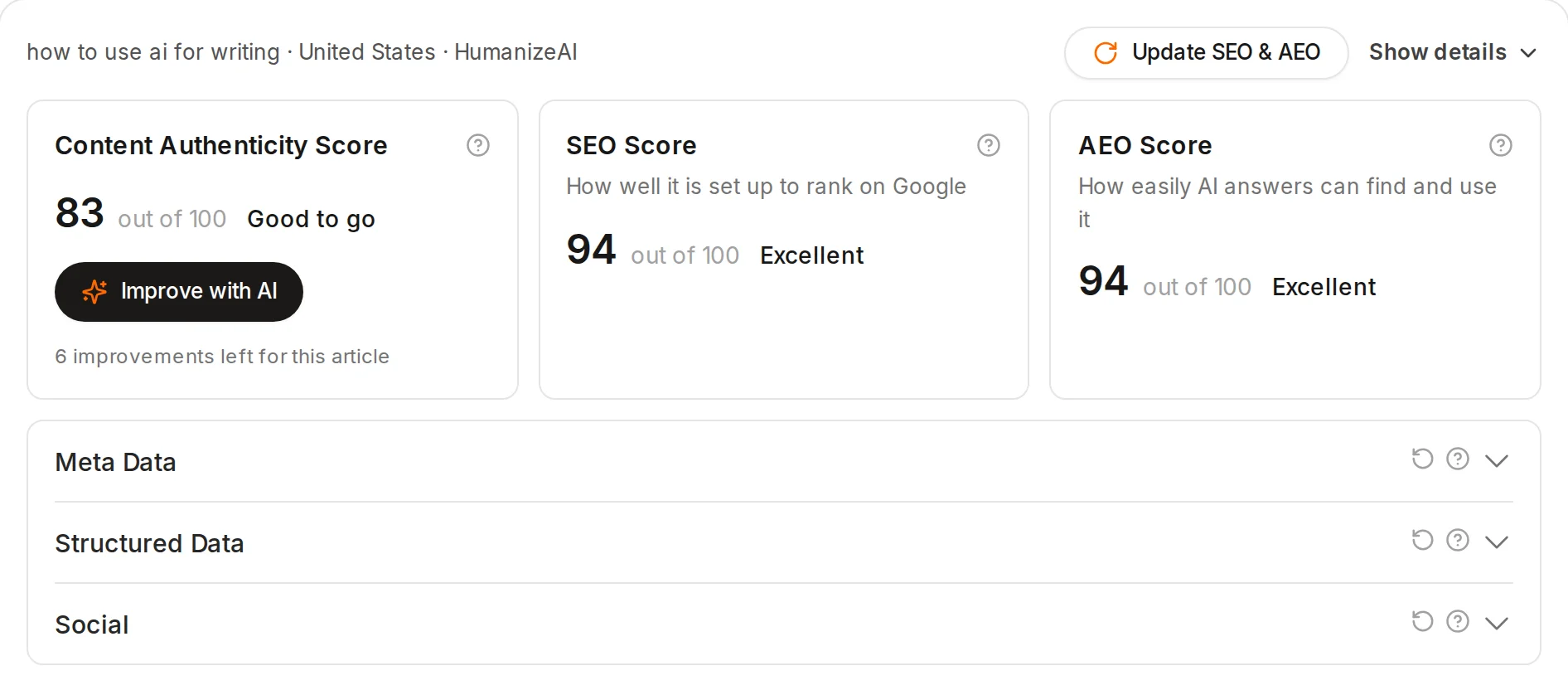
One article, three ways to read it
Each score is out of 100 and every factor behind it comes with a short reason, so you know what to change instead of guessing.
Content Authenticity Score
How likely AI answers like ChatGPT are to trust and quote your article, from a clear answer up top and named sources to your author and your brand voice
SEO Score
How well the article is set up to rank on Google for your keyword, with the keyword in the title and headings, related terms, length, the meta description and links
AEO Score
How easily AI answers can find and use it, from a short answer and a FAQ to clear headings, lists, tables and structured data
START WITH WHAT YOU HAVE
An old post, a team draft or a page that slipped
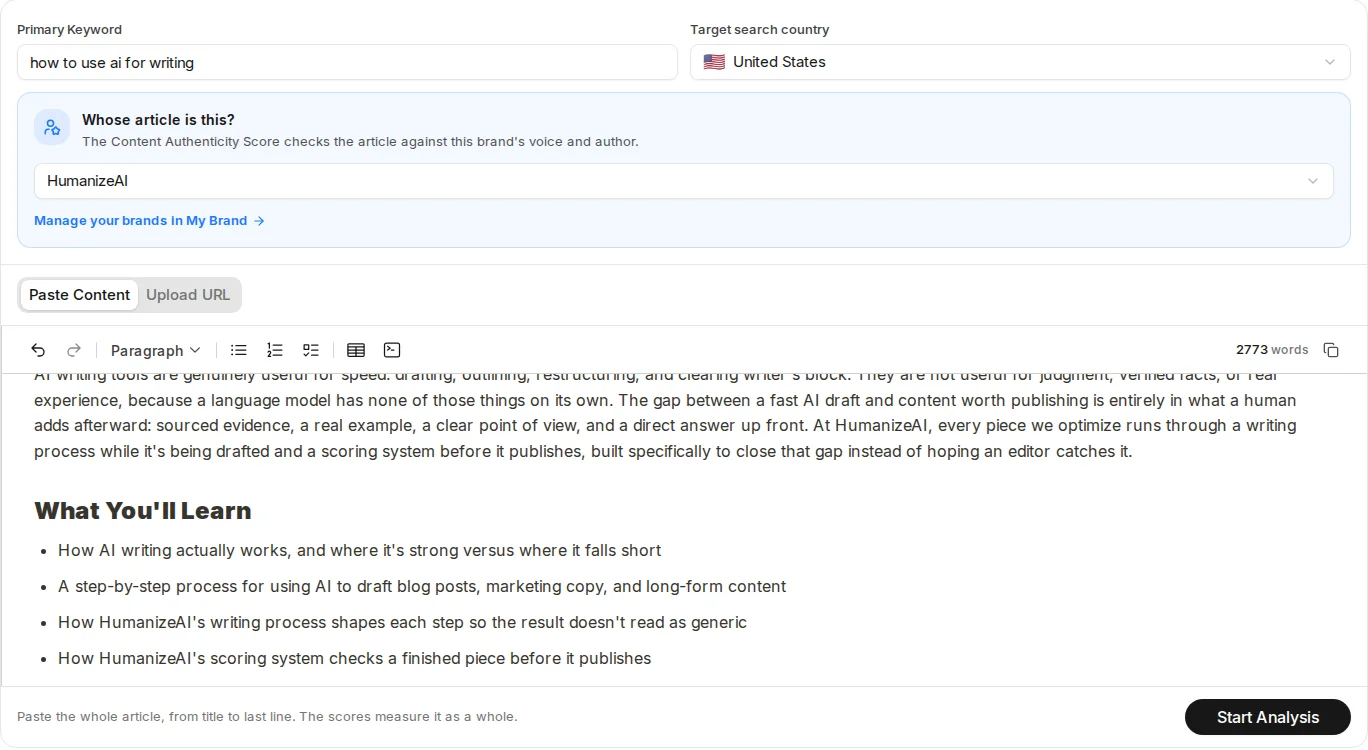
Paste the whole article or add its link, type the keyword you want it found for and pick the country you write for, then tell us whose article it is so the score checks it against the right brand.
- Paste up to 5,000 words, or read it straight from the page
- Any of your brands from My Brand, or No brand for client work
- Scored against the top Google results in your country
WHERE THE POINTS GO
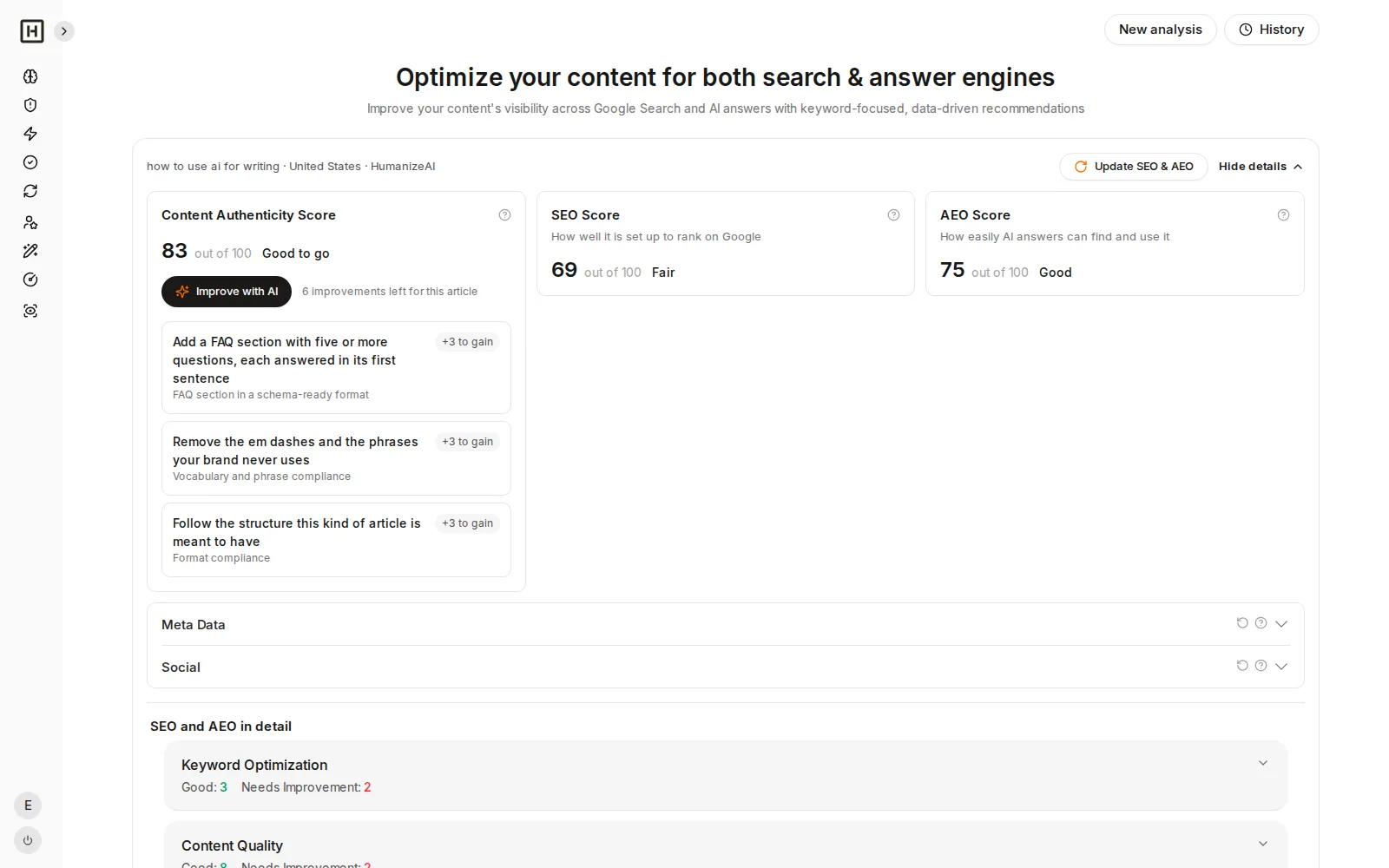
See the biggest wins first, then let AI go after them
Open the details and every factor shows its score and a plain reason, while the authenticity score lists the top three fixes with the points each one is worth, and Improve with AI works on those fixes and keeps a change only when your score goes up.
- Top three fixes with the points to gain
- A reason for every factor in SEO and AEO
- Improve with AI rewrites in your brand voice
Every change is marked, so nothing goes live without you
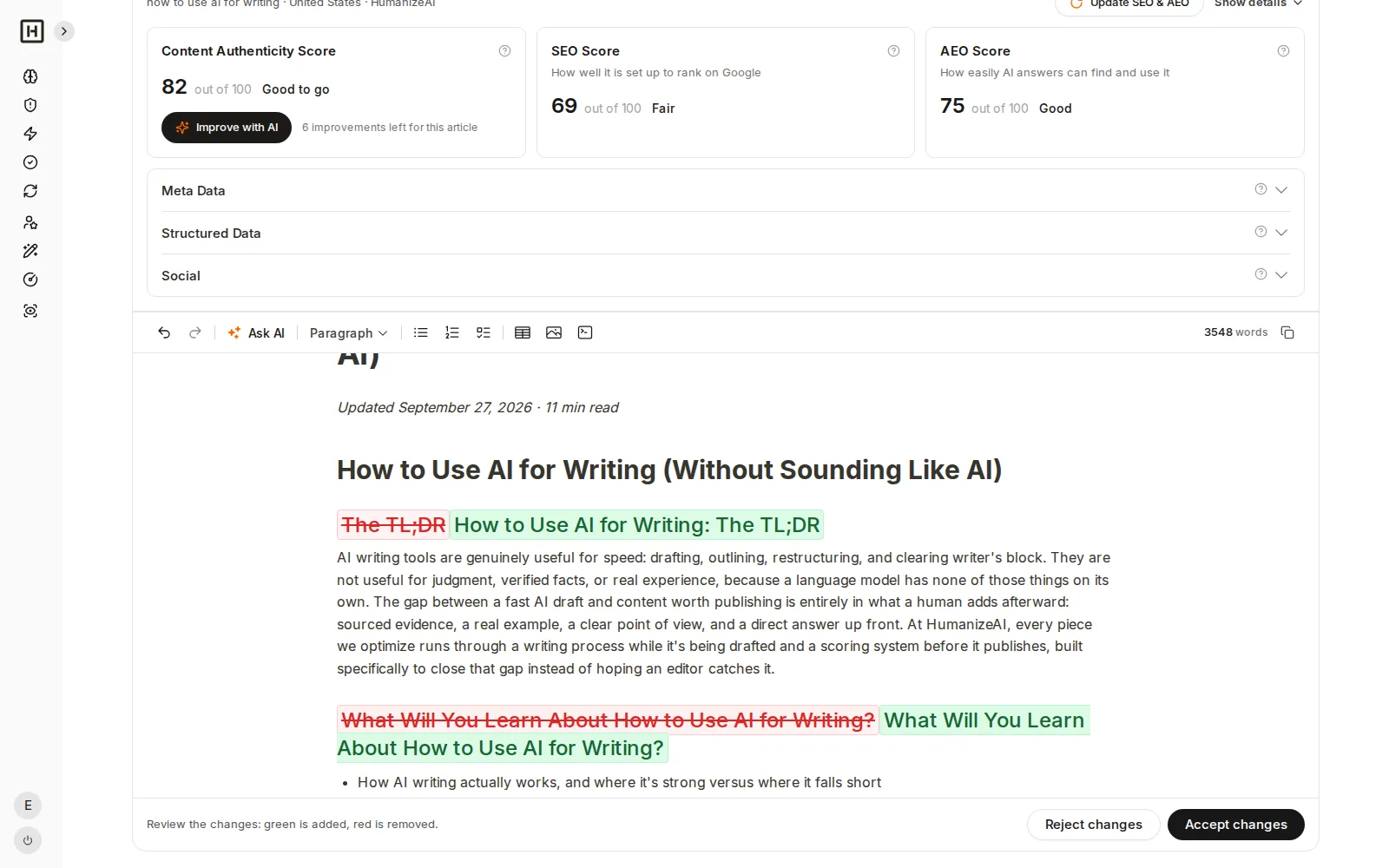
Optimize Content rewrites the article for its keyword and for AI answers, and you see exactly what moved before you accept it.
REVIEW THE REWRITE
Green is added, red is removed, and you decide
The rewrite keeps the sentences that already work, adds what the article is missing, such as related terms or a FAQ, and shows every change inline, then you accept or reject it and your scores update on their own.
- Changes shown inline, right in your article
- Accept or reject in one click
- Scores update after you accept
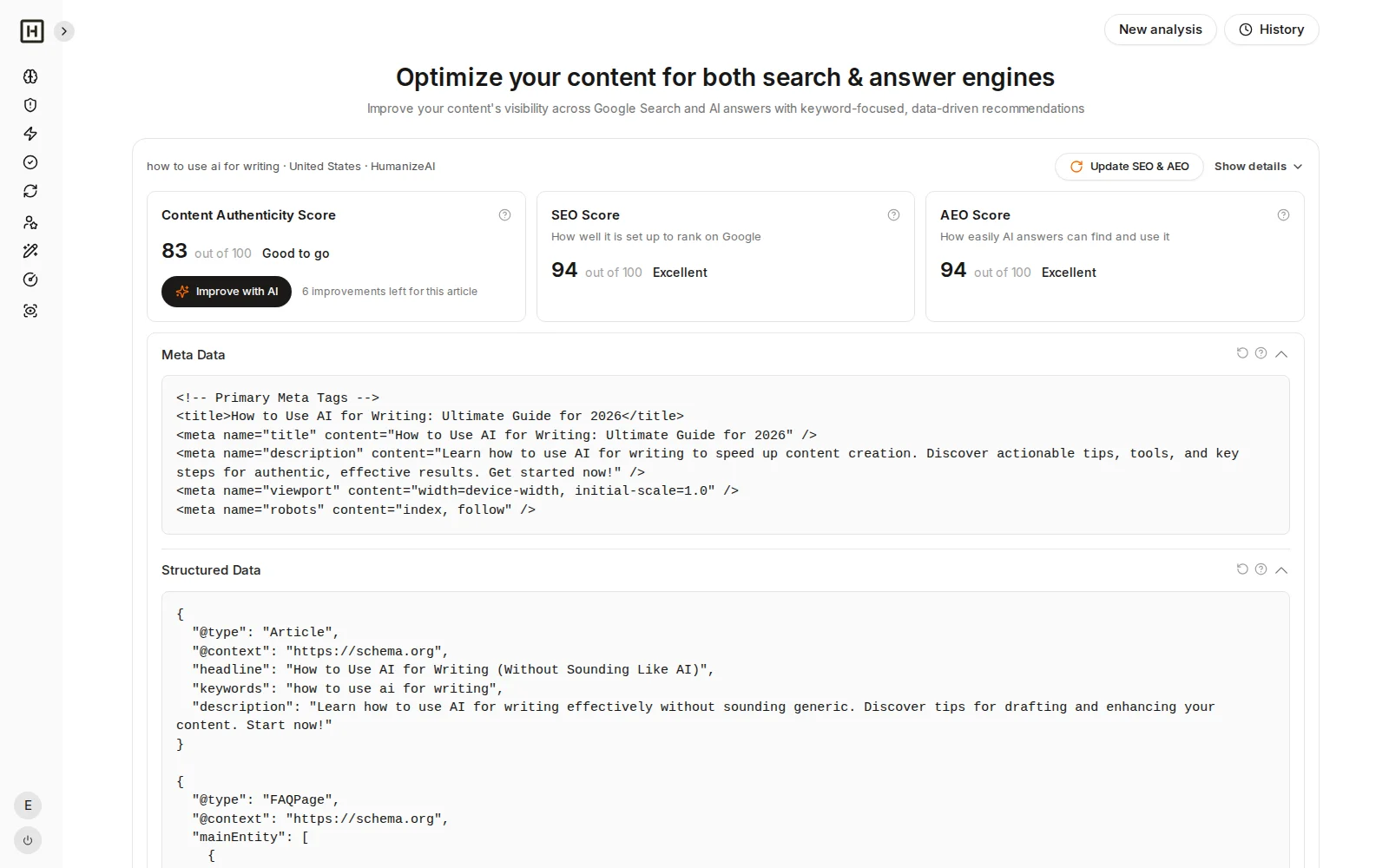
TAGS AND SCHEMA
Meta tags, structured data and social tags written from the article
Next to the scores you get a meta title and description, JSON-LD structured data and the tags for social sharing, all written from your article, and one click writes them again from the latest version after you edit.
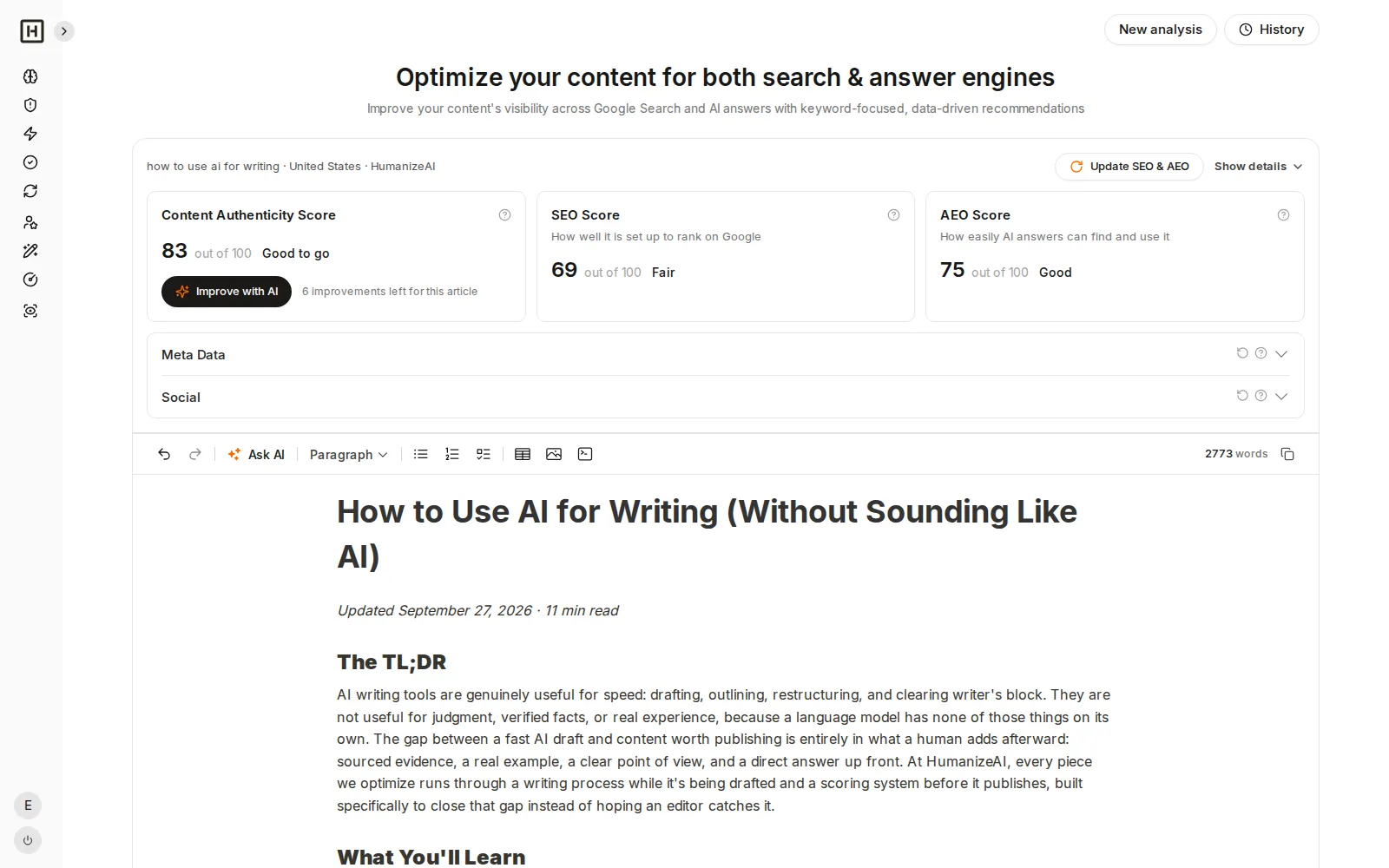
EDIT AND SCORE AGAIN
Make it yours in the editor, then update the scores
Edit any sentence in the built-in editor, ask AI for help on a selection, copy the article when it is ready, and press Update SEO & AEO to see how your own changes moved the numbers.
From pasted article to a better one in four steps
- 1
Add your article
Paste it or drop in its link, then add the keyword you want it found for and the country you write for
- 2
Pick whose article it is
Choose one of your brands from My Brand, or No brand when it is a client’s article
- 3
Read your three scores
We read the top Google results for your keyword and score your article out of 100, with a reason for every point
- 4
Fix it and score again
Let AI improve it, review every marked change, edit by hand and update the scores when you are done
Starting from a blank page or from an article you already have?
Both tools share My Brand and the same Content Authenticity Score, so a new article and an improved one meet the same bar.
Content Creator: start from a topic
- Turns a topic into a researched outline with sources
- Writes the full article in your brand voice
- Best for new articles and new pages
Content Optimizer: start from your article
- Scores what you already have for SEO, AEO and authenticity
- Shows what to fix and rewrites it with every change marked
- Best for old posts, team drafts and pages that slipped
What the Content Optimizer does and does not do
What it does
What it does not do
Frequently asked questions
What is the Content Optimizer?
What is the difference between Content Creator and the Content Optimizer?
What can I optimize?
How does it know what to fix?
What is AEO?
What is the Content Authenticity Score?
How does it use My Brand?
Can I choose which changes to keep?
Does it write meta tags and schema?
Can I come back to an article later?
How do I improve an old blog post?
Give the articles you already have a second chance
Paste one in, see where it loses points and walk away with a version you are proud to publish.