Grammarly AI Humanizer Review: Is It Good for Humanizing AI Text?

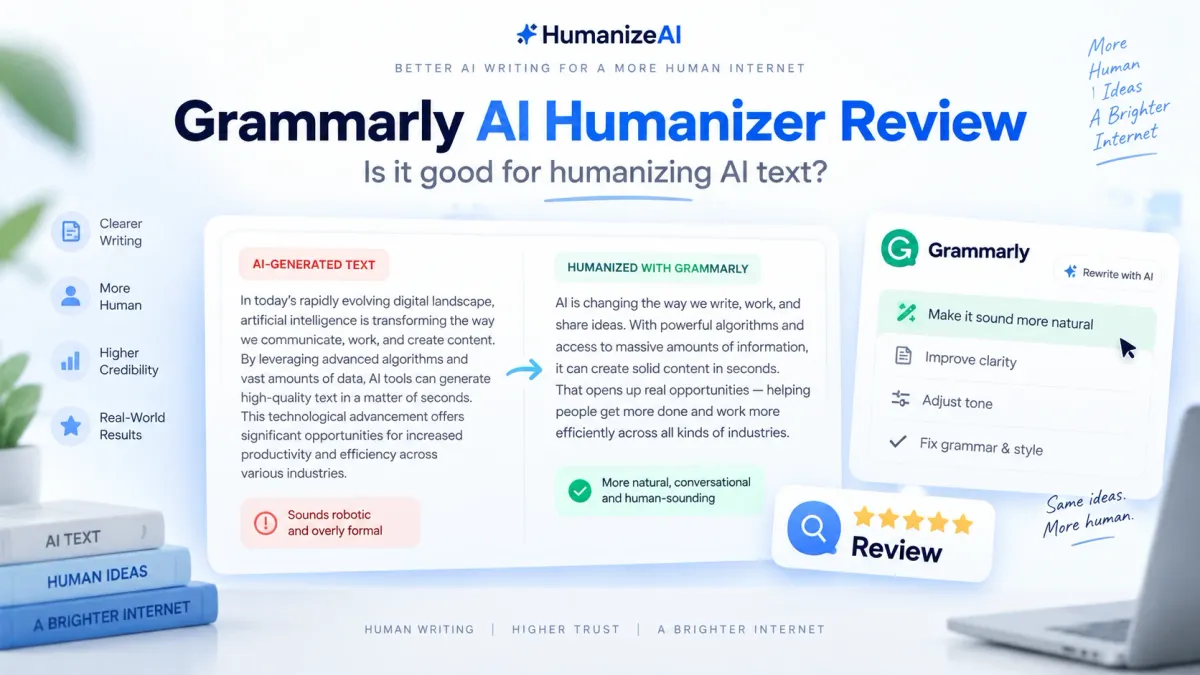
Grammarly now has a real AI Humanizer—not just grammar corrections, tone suggestions, or a generic rewrite prompt. The tool is designed to make AI-assisted writing sound more natural and engaging while preserving the original meaning. It sits inside Grammarly’s broader writing ecosystem, alongside the Paraphraser, AI Detector, AI Rewriter, plagiarism checking, and other editing tools.
That makes the real question less about whether Grammarly can humanize AI text and more about what kind of humanization it offers. Is it a strong choice for everyday writing, or would a more specialized humanization workflow fit better? This review answers that using Grammarly’s current product documentation and feature set. We did not fabricate detector tests or claim first-hand benchmark results that we did not run.
Quick Answer
Yes. Grammarly currently offers a dedicated Humanizer that can rewrite AI-assisted text to sound more natural, adjust voice and tone, and preserve the intended meaning. It is especially attractive for people already using Grammarly for editing because Humanizer works alongside its broader writing tools. However, Grammarly explicitly says the tool is not intended to bypass AI detectors, so it should be evaluated as a writing and voice-refinement tool rather than a detector-evasion product.
Key Takeaways
· Grammarly now markets a dedicated AI Humanizer and offers basic humanization for free.
· The Humanizer agent includes four preset styles, custom voice creation, and support for six languages.
· Grammarly positions Humanizer around naturalness, clarity, voice, and responsible AI use—not guaranteed detector bypass.
· Humanizer, Paraphraser, and AI Rewriter are separate Grammarly functions with different jobs.
· Grammarly Pro adds full-sentence rewrites, tone adjustment, plagiarism and AI detection, and 2,000 generative AI prompts per month.
· If your main need is a dedicated, mode-based humanization workflow rather than an all-purpose writing assistant, a specialized tool may be a better fit.
Does Grammarly Have an AI Humanizer?
Yes. Grammarly currently has a product page called “Free AI Humanizer: Humanize AI Text” and a Humanizer agent available in Grammarly’s writing environment. Grammarly describes the feature as a way to make AI-assisted writing sound more natural and engaging without changing what the writer means to say.
This is an important update because older Grammarly reviews often describe the product as grammar-first software with rewriting added on top. That description is now incomplete. Grammarly still handles grammar, clarity, tone, and proofreading, but Humanizer is now a distinct part of its AI toolset.
How Grammarly Humanizer Works
Grammarly’s Humanizer analyzes AI-assisted writing for patterns such as overly formal tone, repetitive phrasing, and generic language. It then rewrites wording, sentence structure, and tone to make the text read more naturally while attempting to preserve the original meaning.
The basic web tool follows a simple workflow: paste or upload text, click Humanize, and review the rewritten output. With a Grammarly account, the Humanizer agent adds more control over voice and style.
Grammarly Humanizer Features That Matter
Four Preset Writing Styles
Grammarly says the Humanizer agent provides four preset styles so users can quickly adapt AI-assisted writing to different situations. This is useful when the main problem is not factual content but tone: a draft may be technically correct yet still feel too stiff, generic, or impersonal.
Custom Voice Profiles
One of Grammarly’s more distinctive Humanizer features is custom voice creation. Users can provide a writing sample of at least 200 words, name the voice profile, and use it as a reference for future rewrites. Grammarly shares these custom voice profiles between its Humanizer and Paraphraser agents.
Humanization in Six Languages
Grammarly currently lists Humanizer support for English, Spanish, French, German, Portuguese, and Italian. That makes it relevant for users who work across multiple European-language writing workflows rather than only English.
Integration With Grammarly’s Writing Ecosystem
Humanizer is not an isolated rewriting page. It sits beside Grammarly’s proofreading, paraphrasing, AI detection, plagiarism checking, citation, and writing-assistance features. For people already editing inside Grammarly, this reduces the need to move text between multiple tools.
Grammarly Humanizer vs. Paraphraser vs. AI Rewriter
These three Grammarly tools overlap, but they are not interchangeable.
|
Tool |
Primary Job |
How It Changes Text |
Best Fit |
|
Humanizer |
Make
AI-assisted writing sound more natural and personal |
Adjusts tone,
wording, phrasing, and voice while aiming to preserve meaning |
AI-assisted
drafts that feel robotic or generic |
|
Paraphraser |
Reword
existing text in a different style |
Rephrases
content while keeping the original idea intact |
Alternative
wording, tone changes, and repurposing |
|
AI Rewriter |
Identify
phrases commonly associated with AI writing |
Flags common
AI phrases and offers less frequently AI-used alternatives |
Users who
want targeted revisions to specific phrases inside Grammarly Docs |
If your goal is mainly rewording rather than broader humanization, HumanizeAI’s Paraphrase Tool is the more directly aligned workflow. If your problem is grammar, punctuation, or sentence correctness, use a Grammar Checker instead of asking a humanizer to solve the wrong problem.
What Grammarly Humanizer Does Well
1. It Gives Voice More Attention Than a Basic Rewriter
The combination of preset styles and custom voice profiles gives Grammarly a clear strength: it treats humanization as a voice problem, not just a synonym-replacement problem. That can be valuable for emails, proposals, blog posts, and marketing copy where audience fit matters as much as grammatical correctness.
2. It Fits Naturally Into an Existing Editing Workflow
People who already use Grammarly do not need to adopt an entirely separate writing environment. Humanizer can sit alongside full-sentence rewrites, tone suggestions, AI detection, plagiarism checks, and other editorial tools.
3. It Is Transparent About Its Purpose
Grammarly explicitly states that its Humanizer is not intended to bypass AI detectors. That makes its positioning clearer than tools that promise universal detector avoidance. Grammarly frames the feature around clarity, coherence, naturalness, and responsible AI use.
4. Free Users Can Try the Core Experience
The web-based Humanizer provides basic humanization for free, and a free Grammarly account gives access to the Humanizer agent with preset voices, custom voice creation, and six-language support. Grammarly Pro expands the overall feature set rather than requiring a separate Humanizer-only subscription.
Grammarly AI Humanizer Limitations
It Is Not Built Around Detector Bypass
This is the biggest expectation-setting point. If you are searching for a tool whose main promise is to change an AI detector result, Grammarly is not positioning Humanizer for that job. Grammarly says directly that the feature is not intended to bypass AI detectors.
That does not make Humanizer ineffective. It simply means the quality bar should be whether the rewrite sounds clearer, more natural, and more like the intended voice—not whether one detector returns a particular score.
It Lives Inside a Broad Writing Platform
Grammarly’s biggest strength can also be a limitation. You are paying for a broad editing ecosystem rather than a humanizer-only product. If humanization is the only task you care about, a more focused tool may offer a simpler decision path and controls built specifically around rewrite depth.
The Product Does Not Publish a Simple Humanizer-Only Usage Limit
Grammarly clearly publishes its overall generative AI prompt allowances—100 AI prompts per month on Free and 2,000 on Pro—but the Humanizer page does not present a simple standalone monthly “humanizer word” allowance. Users who care about high-volume processing should check the current plan details and their in-product limits before committing.
Humanized Text Still Needs Editorial Review
Any automated rewrite can shift emphasis, soften a technical claim, or alter a phrase that mattered in context. After using Humanizer, recheck names, numbers, quotations, citations, product details, and any sentence where exact wording matters.
Is Grammarly Good for Humanizing AI-Generated Content?
Yes—if your definition of humanizing is improving naturalness, tone, flow, and voice. Grammarly’s current product is well suited to users who already have an AI-assisted draft and want it to sound less generic without leaving their broader editing workflow.
The fit is strongest for professional emails, reports, proposals, blog content, marketing copy, and other writing where tone and audience expectations matter. It is less appropriate if your sole evaluation criterion is whether a detector returns a lower AI score, because Grammarly does not market Humanizer for detector bypass.
For a broader editing workflow that combines manual judgment with tool-assisted rewriting, see our guide on how to humanize AI text rather than treating a single rewrite button as the entire humanization process.
Grammarly Humanizer vs. HumanizeAI AI Humanizer
Grammarly and HumanizeAI both offer dedicated humanization tools, but the product design is different. Grammarly integrates Humanizer into a broad writing assistant built around editing, voice, transparency, and productivity. HumanizeAI centers its product around a dedicated AI-humanization workflow with multiple rewrite levels and then adds adjacent writing tools around it.
|
Feature |
Grammarly Humanizer |
HumanizeAI AI Humanizer |
|
Primary
product context |
Part of
Grammarly’s broader writing and editing platform |
Dedicated AI
humanization product within HumanizeAI’s writing suite |
|
Free access |
Basic
Humanizer is free; free account adds Humanizer agent access |
1,500
Humanizer words/month; up to 300 words per process |
|
Rewrite
controls |
Four preset
styles plus custom voice profiles |
Basic,
Advanced, and Ultra rewriting modes |
|
Custom voice |
Yes; custom
profile created from a writing sample of 200+ words |
Not verified
on current product page |
|
Languages |
English,
Spanish, French, German, Portuguese, Italian |
Not specified
on the current AI Humanizer product page |
|
AI detection |
Available
through Grammarly’s broader product; paid access varies by experience |
Separate AI
Detector included in HumanizeAI’s suite and paid plan allowances |
|
Plagiarism
checking |
Available on
Pro and certain other Grammarly plans |
Plagiarism
Checker included in paid plan allowances |
|
Paraphrasing |
Dedicated
Paraphraser agent/tool |
Dedicated
Paraphrase Tool |
|
Paid pricing
snapshot |
Pro:
$12/month billed annually or $30 month-to-month |
Paid
Humanizer plans start at $14/month |
|
Best fit -
editorial view |
Users who
want humanization inside an all-purpose editing and writing workflow |
Users who
want a dedicated, mode-based humanization workflow with related writing tools |
Pricing, limits, and product features can change. Check each provider’s current documentation before purchasing.
Who Should Use Grammarly for AI Humanization?
Professionals
Grammarly is a strong fit for people humanizing emails, reports, proposals, and client-facing documents while also relying on grammar, clarity, and tone support.
Marketers and Content Teams
The custom voice feature is useful when brand consistency matters across AI-assisted drafts, especially for blog posts, campaign copy, social content, and customer communication.
Students Who Are Allowed to Use AI Assistance
Grammarly provides humanization alongside citations, Authorship, plagiarism checking, and AI detection. Students should still follow their institution’s disclosure and academic-integrity rules.
Existing Grammarly Users
If Grammarly is already part of your daily writing workflow, Humanizer adds a new editing layer without requiring another workspace or subscription just to test basic humanization.
When a Dedicated Humanization Workflow Makes More Sense
Grammarly is compelling when humanization is one step in a larger editing process. A more specialized workflow makes more sense when humanization itself is the primary task and you want explicit controls over rewrite depth.
HumanizeAI’s AI Humanizer uses Basic, Advanced, and Ultra modes so the user can choose how aggressively the draft should be rewritten. The current free plan includes 1,500 Humanizer words per month with up to 300 words per process, while paid plans increase the monthly allowance and include access to HumanizeAI’s broader writing toolkit.
That does not make one product universally better. Grammarly is the more natural fit if you value custom voice, six-language Humanizer support, and an integrated writing assistant. HumanizeAI is the more direct fit if you want a dedicated humanization workflow with selectable rewrite levels.
If you want to compare the broader category rather than just these two products, see our guide to the best AI humanizer tools.
Grammarly AI Humanizer Pricing
Grammarly’s Humanizer can be used at a basic level for free. Grammarly’s current main plan structure is:
· Free: $0 per month, including core writing assistance and 100 generative AI prompts per month.
· Pro: $12 per month when billed annually, or $30 when billed monthly. Pro adds full-sentence rewrites, tone adjustment, fluency features, plagiarism and AI detection, and 2,000 AI prompts per month.
· Enterprise: custom pricing for larger organizations.
The Humanizer page says free users can access basic humanization and that Grammarly Pro unlocks the full Humanizer experience, but it does not publish a simple separate monthly Humanizer word allowance on that page.
Pricing, usage limits, and product features may change. Check Grammarly’s current plan documentation for the latest information.
Final Verdict: Is Grammarly AI Humanizer Worth It?
Grammarly Humanizer is worth trying if you want AI-assisted drafts to sound more natural while keeping humanization inside a mature writing and editing ecosystem. The four preset styles, custom voice profiles, six-language support, and connection to Grammarly’s proofreading and transparency tools give it a clear identity beyond basic paraphrasing.
Its biggest limitation is also straightforward: Grammarly does not position Humanizer as a detector-bypass tool. If that is the only outcome you care about, Grammarly is telling you not to evaluate the product that way. If your goal is clearer, more natural, audience-appropriate writing, the product is much better aligned with the task.
For users who want humanization as one feature among many, Grammarly is a strong option. For users who want a dedicated, mode-based humanization workflow, HumanizeAI is a relevant alternative. The better choice depends on whether your priority is an integrated writing assistant or a specialized humanization tool.
Frequently Asked Questions
Does Grammarly have an AI humanizer?
Yes. Grammarly now offers a dedicated AI Humanizer and a Humanizer agent. The tool is designed to make AI-assisted writing sound more natural and engaging while preserving the original meaning.
Can Grammarly humanize AI text for free?
Yes. Grammarly says the AI Humanizer on its product page is free for basic humanization. A free Grammarly account also provides access to the Humanizer agent, including preset voices, custom voice creation, and support for six languages.
Does Grammarly Humanizer bypass AI detectors?
Grammarly explicitly says its Humanizer is not intended to bypass AI detectors. The product is positioned around clarity, naturalness, coherence, and responsible AI-assisted writing.
What is the difference between Grammarly Humanizer and Grammarly Paraphraser?
Humanizer is designed to make AI-assisted writing sound more natural and aligned with a chosen voice. Paraphraser focuses on rewording existing content in different tones while preserving the original idea.
What is Grammarly AI Rewriter?
AI Rewriter is a separate Grammarly agent that identifies words and phrases commonly associated with AI writing and suggests alternatives that AI uses less frequently. Grammarly says the feature is available in Docs for Pro and Plus subscribers and is being rolled out gradually.
Does Grammarly detect AI-generated text?
Yes. Grammarly offers AI detection. Its current plan page lists AI detection as a Pro feature, and Grammarly also documents AI Detector access across several product experiences depending on the plan.
Is Grammarly Humanizer better than a dedicated AI humanizer?
It depends on the workflow. Grammarly is strong for users who want humanization integrated with grammar, tone, custom voice, AI detection, plagiarism checking, and other writing tools. A specialized humanizer may be a better fit when the main requirement is explicit control over rewrite depth and a dedicated humanization workflow.
About the Author
Steve Palomares is the founder of HumanizeAI.com, where he builds tools and publishes research on AI writing, AI search visibility, and content quality.
Sources and References
· Grammarly Support - Humanizer user guide
· Grammarly - Plans and pricing
· Grammarly Support - AI Detector user guide