Free AI Humanizer: How to Make AI Text Sound More Natural
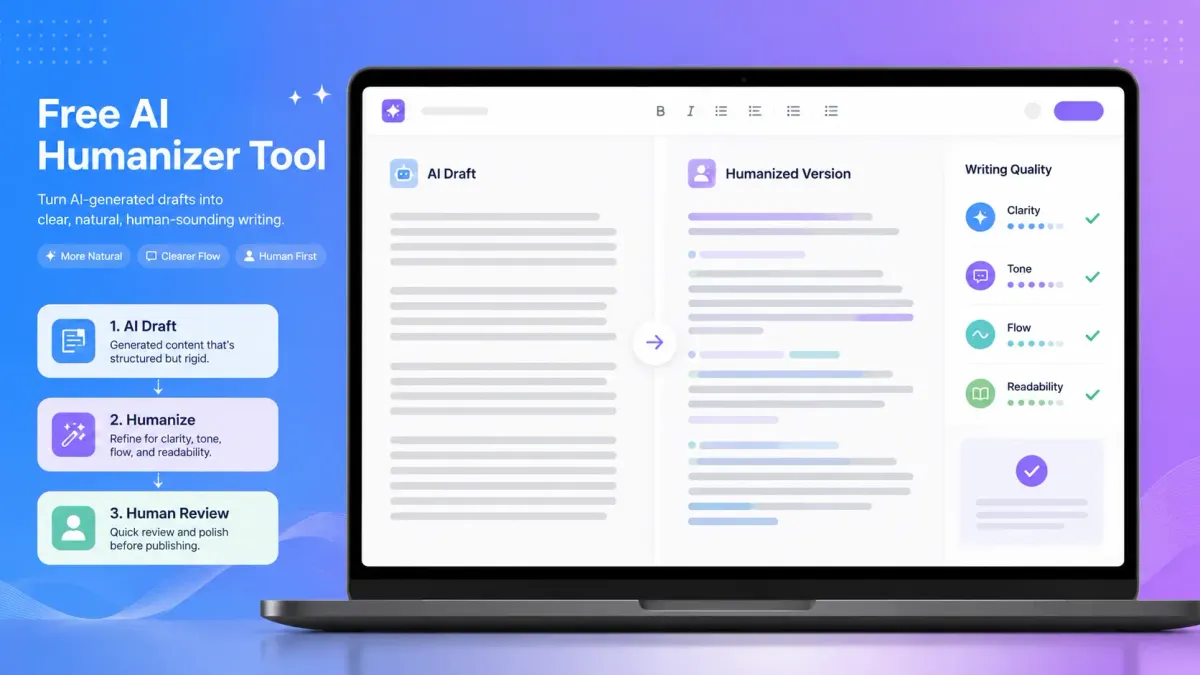
AI-generated text can be useful, but it often sounds too polished, repetitive, or generic. A free AI humanizer helps turn that first draft into writing that feels clearer, more natural, and easier to read. The goal is not to hide where the text came from or bypass rules. The goal is to improve tone, flow, readability, and sentence variety while keeping your original meaning intact.
Use this guide to understand what a free AI humanizer does, when to use one, what to check before publishing, and how to make AI-assisted writing sound more like something a real person would say.
What Is a Free AI Humanizer?
A free AI humanizer is a writing tool that helps rewrite AI-generated text so it sounds more natural, conversational, and human-sounding.
Instead of only swapping words, a good AI humanizer should improve how the writing feels. It should help with:
- Clarity
- Tone
- Flow
- Readability
- Sentence variety
- Natural phrasing
- Meaning preservation
For example, a raw ChatGPT draft might sound technically correct but stiff:
This article aims to provide a comprehensive overview of the benefits associated with AI-powered writing assistance.
A more natural version could be:
This article explains how AI writing tools can help you write faster, improve clarity, and turn rough drafts into stronger final content.
The second version is easier to read because it sounds more direct, specific, and useful.
When Should You Use a Free AI Humanizer?
You should use a free AI humanizer when an AI draft has the right idea but does not sound natural enough yet.
This usually happens when AI-generated text feels:
- Too formal
- Too repetitive
- Too generic
- Too robotic
- Too long-winded
- Too polished in an unnatural way
- Too different from your normal writing style
A free AI humanizer is especially useful for improving first drafts created with tools like ChatGPT, Claude, Gemini, or other AI writing tools.
It can help with:
- Blog posts
- Website copy
- Emails
- Product descriptions
- Social media captions
- Marketing copy
- Reports
- Article drafts
- Student revision work
- Research summaries
The key is to treat the humanized version as a better draft, not as a final answer you publish without review.
How to Use a Free AI Humanizer
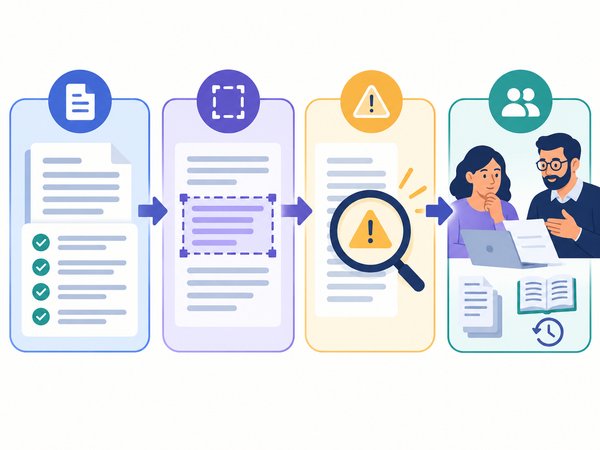
The best way to use a free AI humanizer is simple: paste the AI-generated text, humanize it, review the output, then edit it with your own judgment.
Step 1: Paste Your AI-Generated Text
Start with the draft you created using ChatGPT, Claude, Gemini, or another AI writing tool.
Before pasting it into a humanizer, quickly check whether the draft has the right facts, structure, and message. A humanizer can improve the writing style, but it should not be used to fix unsupported claims or incorrect information.
Step 2: Humanize the Draft
Use the humanizer to improve the tone, flow, sentence rhythm, and readability.
The best output should not completely change your meaning. It should keep the original point but make the writing feel more natural.
Step 3: Compare the Original and Humanized Version
Do not copy the output immediately. Compare both versions and ask:
- Is the meaning still accurate?
- Does the tone fit the audience?
- Did the tool remove anything important?
- Does the writing sound more natural?
- Are any claims still unsupported?
- Does it sound like my voice or brand?
Step 4: Edit the Final Version Yourself
A humanizer can improve a draft, but human review is still important.
Before publishing or submitting the content, revise the final version for accuracy, voice, citations, formatting, and context.
For professional content, this is where you add brand voice, examples, product details, data, screenshots, and real expertise.
Free AI Humanizer vs AI to Human Text Converter
A free AI humanizer and an AI to human text converter are closely related. In many cases, users mean the same thing: they want to turn AI-generated text into writing that sounds more natural and human.
The difference is mostly in the framing.
If your goal is to improve how an AI draft reads, use an AI humanizer. If your goal is only to reword a sentence, a paraphrasing tool may be enough. If your goal is to check grammar, use a grammar checker.
For most real writing workflows, these tools work best together.
What Should a Good Free AI Humanizer Improve?
A good free AI humanizer should improve the writing without destroying the meaning.
Here are the most important quality signals to look for.
1. Clarity
The humanized version should be easier to understand than the original.
Weak AI drafts often use long sentences, abstract phrases, and unnecessary filler. A stronger version should make the message more direct.
Example:
Before:
It is important to note that the implementation of this strategy can result in substantial improvements.
After:
This strategy can improve results when it is applied consistently.
2. Tone
The output should match the audience.
A blog post can sound conversational. A business email should sound polished but not stiff. A student draft should sound clear and natural without pretending to be someone else’s work.
3. Flow
The sentences should connect smoothly.
AI writing often feels like a list of polished statements. Human writing usually has better transitions, varied rhythm, and clearer movement from one idea to the next.
4. Sentence Variety
AI-generated text often repeats the same sentence patterns.
A good humanizer should vary sentence length and structure so the writing feels less mechanical.
5. Meaning Preservation
This is one of the most important checks.
A humanizer should not invent new claims, remove key context, or change the writer’s intent. If the tool changes the meaning, the output needs manual editing.
Who Can Use a Free AI Humanizer?
A free AI humanizer can help different types of writers, but each group should use it differently.
Content Marketers and SEO Professionals
Marketers and SEO professionals often use AI tools to speed up briefs, outlines, landing page drafts, and article sections.
A free AI humanizer can help make those drafts sound less robotic and more readable. It can also help align the writing with search intent by making the copy clearer and more useful.
For SEO content, do not rely on humanization alone. Add original examples, real product knowledge, expert input, internal links, and accurate source-backed information.
Useful next read: How to Humanize AI Text
Freelance Writers and Bloggers
Freelance writers can use an AI humanizer to polish rough AI-assisted drafts.
The tool can help reduce stiff phrasing, but the writer still needs to add voice, examples, judgment, and structure.
A strong freelance workflow looks like this:
AI draft → humanizer → manual rewrite → fact-check → final edit
Agencies and Content Teams
Agencies can use AI humanizers to improve consistency across multiple drafts, writers, and clients.
But teams should still use editorial guidelines. A humanizer should support the writing process, not replace brand strategy, fact-checking, or client review.
Students and Academic Users
Students should use AI tools carefully.
A free AI humanizer can help improve clarity, sentence structure, and readability. But it should not be used to misrepresent authorship, hide prohibited AI use, or submit work that violates academic rules.
If your school, professor, or institution has AI policies, follow them. Use AI writing tools only in ways that are allowed.
Educators and Researchers
Educators and researchers can use humanization tools to make complex ideas easier to read, simplify dense explanations, or improve the flow of AI-assisted drafts.
However, research writing still needs accurate citations, source verification, and careful review.
How to Humanize ChatGPT Text for Free
If you want to humanize ChatGPT text for free, start by improving the prompt before using any tool.
A better ChatGPT prompt can reduce robotic writing from the beginning.
Try this:
Rewrite this draft to sound natural, clear, and specific. Keep the original meaning. Use varied sentence length, avoid generic phrases, and make the tone suitable for [audience]. Do not add new facts.
Then paste the output into a free AI humanizer for another pass.
After that, do a final manual review. Look for repeated phrases, unsupported claims, unnatural transitions, and sentences that do not sound like your normal voice.
This three-step process usually works better than relying on one tool:
Prompt better → Humanize → Edit manually
What a Free AI Humanizer Cannot Guarantee
A free AI humanizer can improve writing quality, but it cannot guarantee perfect results.
It cannot guarantee that:
- Every sentence will sound human
- The text will pass every AI detector
- The meaning will never change
- The writing will be factually accurate
- The output will match your exact voice
- Academic or workplace AI policies will allow the content
- The final version is ready to publish without editing
AI detectors can also vary in how they judge the same text. A detector score should be treated as a signal, not a final verdict.
The safest workflow is to use an AI humanizer as an editing assistant, then review the content yourself.
Is a Free AI Humanizer the Same as Bypassing AI Detection?
No. A responsible AI humanizer should not be positioned as a tool for bypassing AI detection or hiding prohibited AI use.
A better goal is to improve writing quality.
That means focusing on:
- Clearer sentences
- More natural flow
- Better tone
- Stronger readability
- More varied sentence structure
- Meaning preservation
- Human review
If your context requires AI disclosure, do not use a humanizer to avoid that requirement. If your school, workplace, platform, or client has rules about AI-generated content, follow those rules.
Humanization should make writing better. It should not be used to mislead readers or institutions.
How to Choose the Best Free AI Humanizer
The best free AI humanizer is not just the one that rewrites fastest. It is the one that improves the draft while keeping the meaning intact.
Use this checklist before choosing a tool.
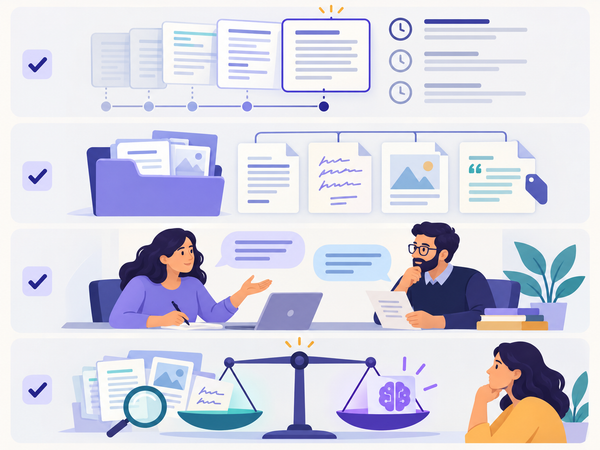
Free AI Humanizer Checklist
A strong free AI humanizer should help you improve the draft, not remove your responsibility as the writer.
A Simple Framework for Humanizing AI Text
Use this five-part framework after running your draft through a free AI humanizer.
The HUMAN Framework
H — Hear the voice
U — Understand the meaning
M — Make sentences varied
A — Add context
N — Never skip review
H — Hear the Voice
Read the draft out loud.
If it sounds stiff, overly formal, or too polished, revise it. Human writing usually has a more natural rhythm.
U — Understand the Meaning
Check whether the humanized version still says the same thing as the original.
If the tool changes the meaning, restore the accurate version.
M — Make Sentences Varied
Look for repeated sentence structures.
AI-generated writing often starts sentences the same way or uses similar paragraph patterns. Mix short and long sentences where it improves readability.
A — Add Context
A humanizer can improve style, but it cannot add your real experience.
Add examples, product knowledge, screenshots, customer insights, data, or practical context.
N — Never Skip Review
The final version should always be reviewed by a human.
Check facts, tone, links, formatting, and whether the content fits the audience.
Example: AI Text vs Humanized Text
Here is a simple example of what humanization should improve.
AI-Style Draft
In today’s digital landscape, content creators are increasingly leveraging artificial intelligence tools to generate written materials at scale. However, these outputs may sometimes lack the authentic quality that readers expect.
More Natural Version
AI tools can help content creators write faster, but the first draft often needs work. It may be accurate, but it can still sound generic, stiff, or disconnected from the way people actually speak.
The second version is stronger because it is more direct, easier to read, and more specific.
This is the kind of improvement a free AI humanizer should help with.
How HumanizeAI Fits Into This Workflow
HumanizeAI is built for people who want AI-assisted writing to sound clearer, more natural, and more useful.
You can use HumanizeAI when you have an AI-generated draft and want to improve:
- Natural writing quality
- Readability
- Tone
- Flow
- Sentence structure
- Meaning preservation
- Professional polish
For best results, use the tool as part of a responsible writing workflow:
Draft with AI → Humanize with HumanizeAI → Review manually → Add expertise → Publish or submit responsibly
Start here: HumanizeAI Text Tool
Or go directly to the tool: AI Humanizer
FAQ
What is a free AI humanizer?
A free AI humanizer is a tool that helps rewrite AI-generated text so it sounds clearer, more natural, and more human-sounding. It usually improves tone, flow, readability, and sentence variety while trying to preserve the original meaning.
What is the best way to use a free AI humanizer?
The best way to use a free AI humanizer is to paste your AI-generated draft, humanize it, compare the output with the original, then manually edit the final version for accuracy, tone, and context.
Can I use a free AI humanizer for ChatGPT content?
Yes, you can use a free AI humanizer to improve text created with ChatGPT. You can also use it for drafts from Claude, Gemini, and other AI writing tools. Always review the output before publishing or submitting it.
Is a free AI humanizer different from a paraphrasing tool?
Yes. A paraphrasing tool mainly rewrites text using different words. An AI humanizer focuses more on making the writing sound natural by improving tone, flow, sentence rhythm, and readability.
Can a free AI humanizer help with AI detection?
A free AI humanizer may reduce some robotic patterns that AI detectors often look for, such as repetitive phrasing or stiff structure. However, it should not be treated as a guaranteed way to bypass AI detectors. Use it to improve writing quality, not to misrepresent authorship.
Is it okay to use a free AI humanizer for schoolwork?
It depends on your school’s rules. You can use a humanizer to improve clarity or revise your own permitted AI-assisted drafts, but you should not use it to hide prohibited AI use or submit work that violates academic integrity policies.
Does a free AI humanizer keep the original meaning?
A good AI humanizer should try to preserve the original meaning, but you still need to check the output. Any automated rewriting tool can change nuance, remove important details, or introduce awkward phrasing.
Should I edit the output after using an AI humanizer?
Yes. A humanizer should produce a better draft, not a final version. You should review the text for accuracy, tone, voice, formatting, and whether it fits your purpose.
Final Thoughts
A free AI humanizer can help turn AI-generated text into clearer, more natural writing, but it works best when you use it as part of a real editing process.
Do not rely on the tool to replace your judgment. Use it to improve tone, flow, readability, and sentence variety. Then add your own expertise, verify the facts, and make sure the final version fits your audience.
If you already have an AI-generated draft, try HumanizeAI to make it sound more natural while keeping the original meaning clear.