10 Best AI Tools for Students
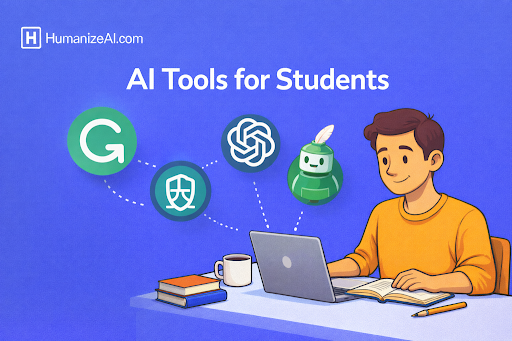
Artificial intelligence has become a powerful academic companion for students across schools, colleges, and universities. From writing assignments and researching topics to solving math problems and preparing for exams, AI tools are helping students save time, improve accuracy, and learn more effectively. Instead of replacing learning, the right AI tools support understanding, clarity, and productivity when used responsibly.
Below are the 10 best AI tools for students, each explained in depth with About, Best For, Pros, Cons, and Why It’s Helpful for Students sections.
Comparison Table for 10 Best AI Tools for Students
|
Tool Name |
Best Use Case |
Ideal For |
|
HumanizeAI |
Humanizing AI text |
Academic writing |
|
ChatGPT |
Concept explanation, drafting |
All subjects |
|
Grammarly |
Grammar and clarity |
Essays and assignments |
|
Notion AI |
Organization and notes |
Study planning |
|
QuillBot |
Paraphrasing |
Rewriting content |
|
Khanmigo |
Guided tutoring |
Math and science |
|
Perplexity AI |
Research with sources |
Academic research |
|
Wolfram Alpha |
Calculations |
STEM students |
|
Otter.ai |
Lecture transcription |
Note-taking |
|
Canva AI |
Visual projects |
Presentations |
1. HumanizeAI
HumanizeAI is a specialized AI tool that transforms AI-generated content into writing which seems to be created by human authors. Students encounter difficulties when trying to prove their work contains genuine content because multiple educational organizations have implemented AI detection systems. HumanizeAI transforms AI-generated content which appears robotic or excessively refined into text which students can write themselves. The tool enhances both tone and flow and readability while keeping the original message intact. Students who properly utilize AI tools for their initial drafts need this tool to create their final assignments which will appear as if they originated from their own work.
- Best For: Humanizing AI-generated essays
- Pros: Natural output, improves
- Cons: This tool does not support the
- Why It’s Helpful for Students: HumanizeAI enables students to create authentic work instead of producing artificial content. Students can use this tool to transform their AI-generated content into human-readable text which helps them avoid AI-detection flags and produces better writing results.
2. ChatGPT
ChatGPT functions as an AI-based conversational tool which assists students with their academic learning by teaching them academic concepts and helping them organize their thoughts and discover information about different academic subjects. The tool serves multiple purposes including teaching complicated concepts and helping students create their essay structures and assisting programmers with their coding work and producing brief summaries of intricate information. Students can use ChatGPT to ask additional questions which produce answers that students can understand better than standard search results. Students can develop their understanding through this interactive method which enables them to learn fundamental concepts instead of basic answers. ChatGPT operates at its best when students verify all information independently and use it for educational purposes instead of using it to complete their assignments.
- Best For: Concept explanations, essay drafting
- Pros: The system provides quick answers and
- Cons: The system delivers wrong answers when users provide
- Why It’s Helpful for Students: ChatGPT enables students to transform complex subjects into clear and simple explanations. The tool enables users to generate ideas while it enhances their writing organization and reduces their time investment for academic work. Students who verify and improve their work outputs will develop a learning tool which proves its value by replacing the need for shortcuts.
3. Grammarly
Grammarly functions as an AI-based writing tool which helps users enhance their grammar and their writing clarity and tone quality. The tool proves most valuable to students who need to create their essays and research papers and send emails and deliver presentations. The Grammarly tool performs checks to identify spelling mistakes and grammatical errors and problematic sentence structures and tone discrepancies in user content. The system provides readers with two distinct correction types which enable them to enhance their sentence structure and text presentation for easier comprehension. Students use Grammarly to enhance their academic work which they want to reach both academic and professional quality standards. Students receive immediate feedback from the system which enables them to understand their errors instead of making the same mistakes repeatedly.
- Best For: Essay editing and grammar correction
- Pros: The system delivers instant
- Cons: Users need to pay
- Why It’s Helpful for Students: Students can use Grammarly to create error-free work which helps them build their writing abilities and gain confidence. The system identifies errors while it provides students with possible replacements which help them develop their writing skills for better clarity and professional presentation.
4. Notion AI
Notion AI operates as a productivity AI system which integrates directly with the Notion workspace environment. Students use this tool to organize their notes and create lecture summaries and handle their assignments and establish their study timelines. The system transforms unorganized notes into organized summary formats while creating task lists and producing written material from basic point lists. Students who need to handle different subjects and their due dates and assignments can use Notion AI as their main academic management system. Students who want to merge their note-taking activities with planning and AI support will find this system perfectly suited for their needs because of its adaptable design.
- Best For: Users who need
- Pros: All-in
- Cons: New users
- Why It’s Helpful for Students: Notion AI enables students to maintain their organization while they concentrate on their work. The system eliminates unnecessary information and produces automated summaries which enables students to dedicate more time to their academic work and studying activities.
5. QuillBot
QuillBot is an AI-powered paraphrasing and rewriting tool which students use for their academic work. The tool allows users to rewrite their sentences and paragraphs while keeping their original content intact. Students use QuillBot to make their writing more understandable while they transform difficult passages into simple language and stop using the same words repeatedly. The system provides three main functions which consist of grammar checking tools and summarization features and citation management tools. When used ethically, QuillBot supports better writing by helping students rephrase content in their own words rather than copying.
- Best For: The tool helps
- Pros: Users can access various
- Cons: Free version has limits
- Why It’s Helpful for Students: Students can use QuillBot to enhance their idea expression while preventing any unintentional plagiarism occurrences. It improves vocabulary and sentence variety with minimal effort.
6. Khanmigo (by Khan Academy)
Khan Academy created Khanmigo as an AI tutor which supports student learning through math and science and humanities education. Khanmigo assists students by leading them through the process of solving problems instead of generating answers for them. The system asks students questions while it shows them helpful hints and asks them to analyze the situation. The system suits students who prefer to learn fundamental principles instead of remembering specific solutions. Khanmigo follows academic programs exactly which makes it a reliable educational tool for learning.
- Best For: Math
- Pros: Guided learning, curriculum-aligned
- Cons: Limited availability
- Why It’s Helpful for Students: Students can develop their basic knowledge with Khanmigo because it helps them understand problem-solving methods instead of only giving answers.
7. Perplexity AI
Perplexity AI functions as a research-oriented AI system which delivers answers together with their corresponding source citations. The tool enables students to investigate academic subjects while they can verify information and find academic sources with ease. Perplexity operates as a separate system from chatbots because it concentrates on delivering exact information which users can verify through source citations. The tool enables users to obtain their best value through academic research and literature reviews and factual validation tasks. Students obtain value from this system because it transforms complicated subjects into understandable summaries which still keep their original sources.
- Best For: Research, source-backed answers
- Pros: Citations included, accurate summaries
- Cons: Less conversational
- Why It’s Helpful for Students: Perplexity AI streamlines research activities for students while it strengthens their academic credibility through its delivery of verifiable data which students can use
8. Wolfram Alpha
Wolfram Alpha functions as a computational knowledge engine which serves mathematical and physical and engineering and data analysis purposes. The software solves equations while performing calculations and generating step-by-step solutions from validated algorithms. Students use this tool to verify their answers while they learn about formulas and conduct precise data analysis. The core function of Wolfram Alpha differs from standard AI tools because it generates exact results instead of producing text-based explanations which makes it ideal for STEM educational content.
- Best For: Math, physics, engineering
- Pros: Accurate calculations, step-by-step solutions
- Cons: Limited for writing tasks
- Why It’s Helpful for Students: Wolfram Alpha allows students to learn difficult mathematical operations while they check their solution accuracy which makes it perfect for subjects with numerous problems.
9. Otter.ai
Otter.ai functions as an AI transcription system which transforms spoken educational content into written text. Students use this tool to capture their recorded lectures and their group discussions and their virtual classroom sessions. The system produces transcripts which users can search through and summary documents that help users with their review process. Otter.ai is especially useful for students who struggle
- Best For: Lecture
- Pros: Accurate transcription, searchable notes
- Cons: Requires clear audio
- Why It’s Helpful for Students: Otter.ai helps students capture all essential information
10. Canva AI
Students can use Canva AI to develop presentations and posters and resumes and visual projects without needing advanced design abilities. The system applies artificial intelligence to produce layout suggestions and image creation and visual structure optimization. Students use Canva AI for class presentations, projects, and creative assignments. The platform allows users to create professional designs through its simple user interface which anyone can master.
- Best For: Presentations, visual assignments
- Pros: Easy design, AI-generated visuals
- Cons: Limited customization
- Why It’s Helpful for Students: Students can use Canva AI to create visual presentations of their ideas which results in better presentation quality through professional designs without requiring design expertise.
How to Choose the Right AI Tool as a Student
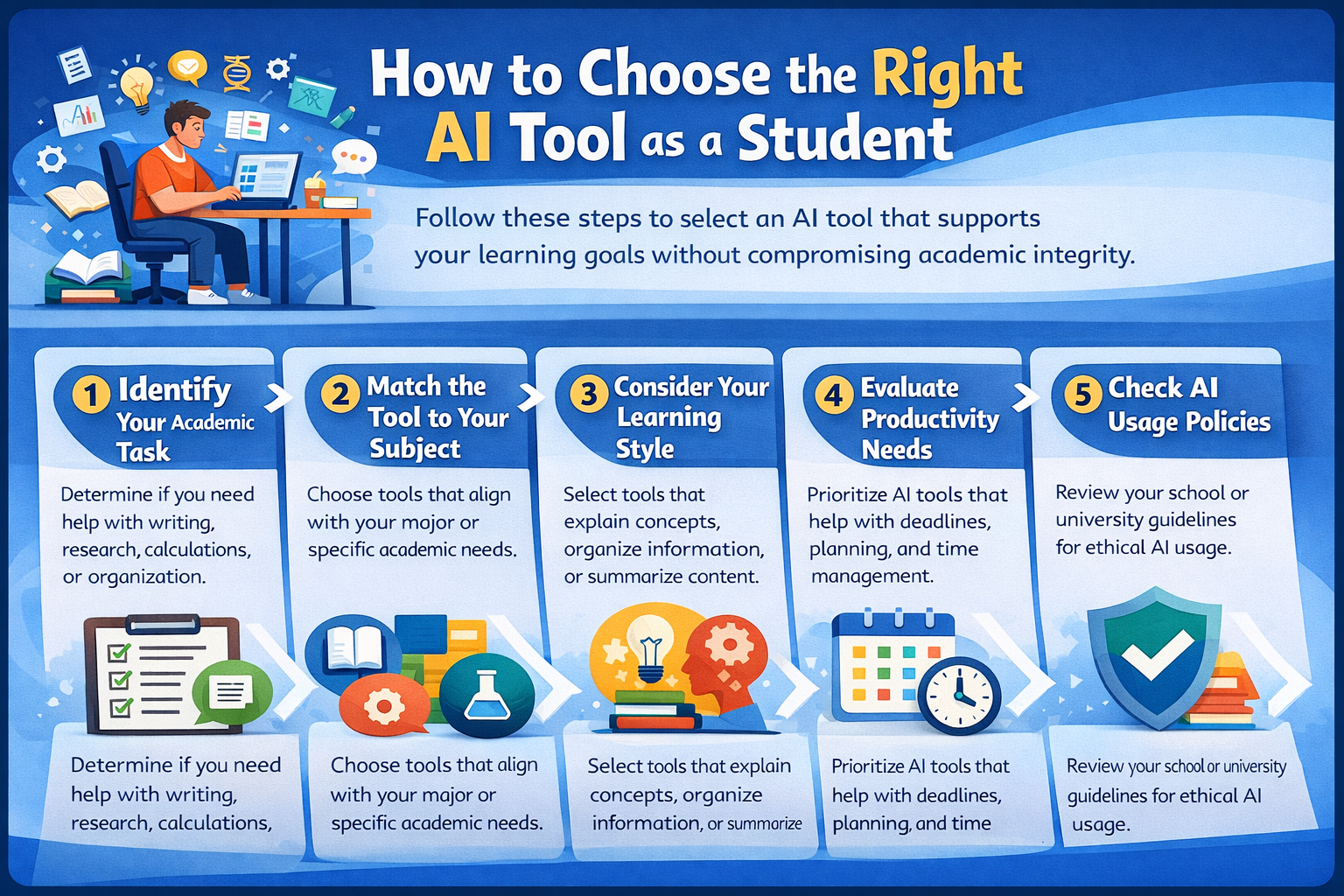
Choosing the right AI tool as a student depends on your academic goal, subject, and learning style. Follow these steps to select an AI tool that supports learning without compromising academic integrity.
Step 1: Identify Your Academic Task
Determine whether you need help with writing, research, calculations, note-taking, or organization. Different AI tools are designed for specific academic tasks.
Step 2: Match the Tool to Your Subject
Writing and humanities students benefit from tools focused on clarity and originality. Research students should choose tools that provide source-backed information, while STEM students need accuracy and step-by-step solutions.
Step 3: Choose Tools That Support Your Learning Style
Select AI tools that explain concepts, summarize information, or organize content in a way that helps you understand and retain knowledge, not just complete tasks.
Step 4: Evaluate Productivity and Time Management Needs
If managing deadlines and coursework is challenging, prioritize AI tools that assist with planning, task tracking, and structured note-taking.
Step 5: Check Institutional AI Usage Policies
Always review your school or university guidelines on AI use. Ensure the tool is used for learning support and drafting, not for submitting unreviewed content.
Step 6: Prioritize Learning Over Automation
The best AI tools enhance understanding, improve efficiency, and maintain originality. Choose tools that strengthen critical thinking rather than replace it.
How AI Tools Improve Learning Outcomes for Students
When used responsibly, AI tools help students learn more effectively by supporting focus, understanding, and confidence. Instead of replacing effort, they reduce unnecessary friction in the learning process. By handling repetitive or time-consuming tasks, AI allows students to concentrate on thinking, analysis, and comprehension.
AI tools help students break down complex concepts into clearer explanations, making difficult topics easier to grasp. Instant feedback on writing and problem-solving helps students identify mistakes early and improve continuously. Organizational tools reduce cognitive overload by structuring notes, schedules, and assignments, so students spend less time managing tasks and more time learning.
Over time, this guided support builds confidence, strengthens academic skills, and leads to better performance. The real value of AI in education lies not in automation but in thoughtful assistance that complements traditional learning methods.
Conclusion
AI tools are most effective when used as learning aids, not shortcuts. Tools like HumanizeAI.com play an important role in ensuring AI-assisted writing remains authentic and student-appropriate. By choosing the right tools and using them ethically, students can improve learning outcomes, writing quality, and academic efficiency.
Frequently Asked Questions:
1. Are AI tools allowed for students?
Most institutions allow AI tools for learning and drafting, but students must follow academic integrity policies.
2. Which AI tool is best for writing assignments?
Grammarly improves accuracy, while HumanizeAI.com ensures AI-assisted drafts sound natural.
3. Can AI tools replace studying?
No. AI tools support learning but cannot replace critical thinking or subject understanding.
4. Is using AI plagiarism?
Using AI responsibly is not plagiarism, but submitting unverified or copied content may violate academic rules.
5. Which AI tool is best for research?
Perplexity AI is ideal due to its source-backed answers.